• Home
  • Droid Updates
  • PC News and Tricks
  • Apple Tutorials
  • Software Downloads
  • Contact Chocobospore

Chocobospore- Tech Redefined

SImply Tech News

Snapchat Loading Pictures : Troubleshooting Tips and Fixes

November 2, 2023 by Hafiza Leave a Comment

Snapchat Loading Pictures Ever find yourself endlessly staring at the little loading icon on Snapchat waiting for your friend’s snap to load? We’ve all been there. As much as we love using Snapchat to stay connected with friends, nothing’s more frustrating than an app that won’t load what you need it to. But don’t worry, we’ve got you covered. Before you start furiously closing and reopening the app, take a deep breath and try some of these troubleshooting tips. We’ll walk you through some easy fixes to get your Snapchat-loading pictures again in no time. With a few quick tricks up your sleeve, you’ll be back to snapping and chatting with your besties again. So sit back, relax, and let the tech support begin!

What Causes the Snapchat Loading Screen Issue?

The Snapchat loading screen issue usually comes down to a few common culprits.

Internet Connectivity Problems

If your WiFi is spotty or your data is slow, Snapchat will have trouble loading. Try moving to an area with better connectivity or restarting your router.

Outdated App Version

Make sure you have the latest version of the Snapchat app. Older versions can become unstable and cause loading problems. Head to your app store and update to the newest version.

Storage Space Limitations

Snapchat saves a lot of data like messages, stories, and snaps which can eat up storage over time. Clear your Snapchat cache and delete unused apps to free up space. You should have at least 1-2 GB of free space for Snapchat to run properly.

Background App Refresh

Snapchat relies on background app refresh to load new stories and snaps. Make sure Background App Refresh is enabled for Snapchat in your phone settings.

Force Quit and Re-Open

A simple fix is to force quit the Snapchat app and re-open it. Double tap the home button to bring up your open apps, swipe up on Snapchat to force quit it, and then re-launch the app. This refreshes the app and often gets things loading properly again.

With a few troubleshooting steps, you’ll be viewing snaps and stories in no time. Let me know if any of these tips help solve your Snapchat loading woes!

Snapchat Loading Pictures

Quick Fixes to Try for Snapchat Loading Problems

If Snapchat is showing a loading picture icon that won’t go away, try these quick fixes to get your snaps loading again.

Restart the App

The simplest solution is often the best. Close Snapchat completely and restart the app. This refreshes the app data and often resolves minor issues.

Check Your Internet Connection

Snapchat requires a stable internet connection to function properly. Make sure you have a strong Wi-Fi or mobile data signal. If it seems slow, try switching to a different network.

Update Snapchat

Outdated app versions can sometimes cause loading problems. Go to your phone’s app store and install the latest Snapchat update. Updates address bugs and issues to keep the app running smoothly.

Clear the App Cache

The Snapchat cache stores data to help the app run faster, but it can get cluttered over time. To clear the Snapchat cache:

  1. Go to your phone’s Settings
  2. Tap Apps & Notifications (or Application Manager)
  3. Find Snapchat and select it
  4. Tap Storage (or Clear Cache)
  5. Tap Clear Cache and confirm (this won’t delete your account info or snaps)
  6. Restart Snapchat – your snaps should now load properly!

With a little troubleshooting, you’ll be sending and viewing snaps in no time. But if issues continue, try reaching out to Snapchat support for additional help. They want you connected and engaged, so don’t hesitate to report ongoing loading picture problems.
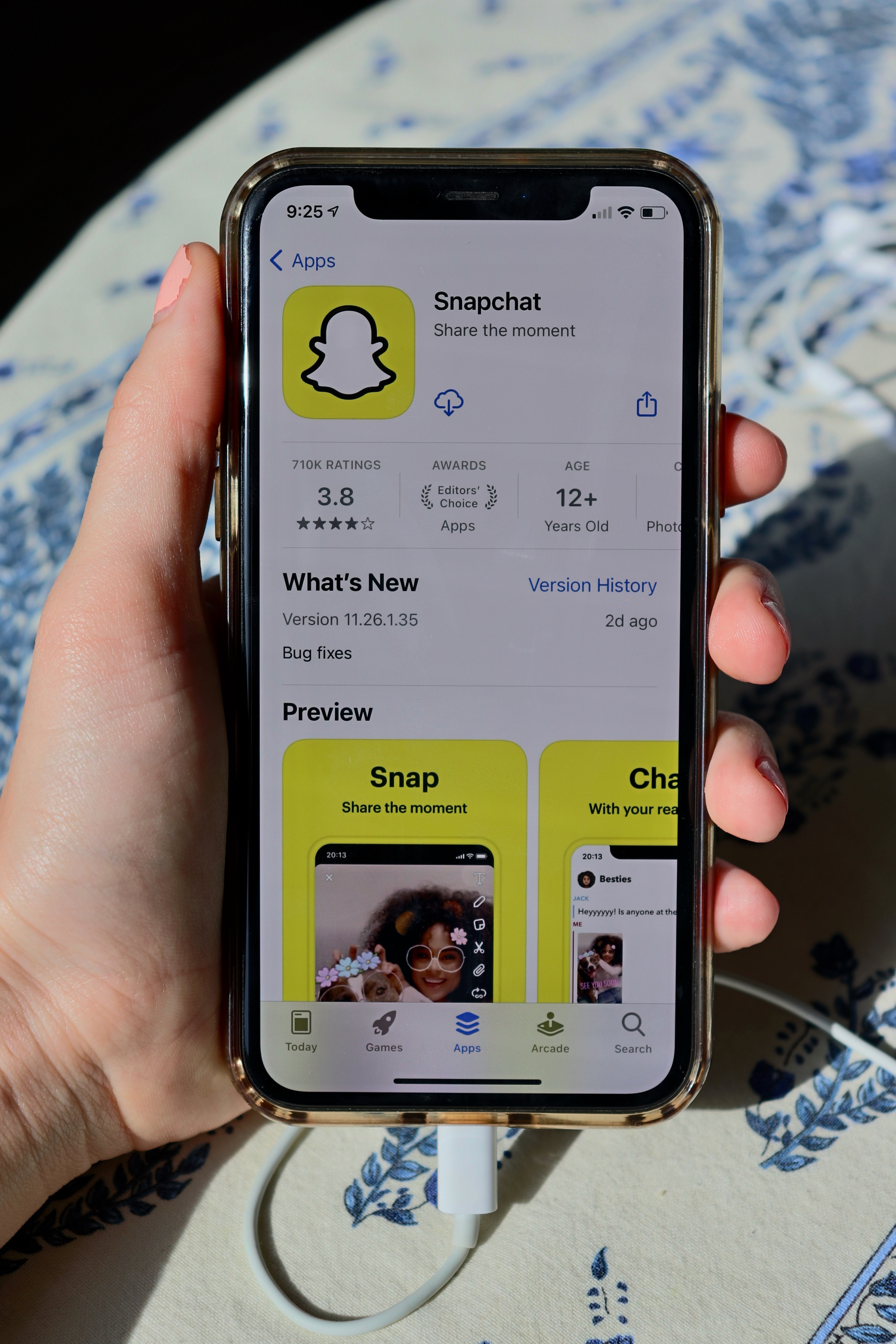
Snapchat Loading Pictures

Advanced Troubleshooting for Persistent Loading Issues

If Snapchat is still stuck loading pictures after trying the basic fixes, it’s time to dig deeper. Here are some advanced steps to get your Snapchat snapping again:

Update Snapchat

Make sure you have the latest version of the Snapchat app installed. Updates often contain bug fixes and patches that can resolve loading issues. Go to your device’s app store and search for Snapchat. If an “Update” button appears next to the app, tap it to install the latest update.

Clear Snapchat Cache

The Snapchat cache stores temporary data that can sometimes become corrupted and cause problems. Clearing it often fixes loading troubles.

  • On Android: Go to Settings > Apps & notifications > See all ## apps > Snapchat > Storage > Clear cache.
  • On iOS: Go to Settings > Snapchat > Clear Cache.

Uninstall and Reinstall Snapchat

Uninstalling Snapchat and then reinstalling it refreshes the app and can fix loading snags. Make sure your account info is backed up first.

  • On Android: Go to Settings > Apps & notifications > See all ## apps > Snapchat > Tap Snapchat > Uninstall. Then go to the Play Store and reinstall Snapchat.
  • On iOS: Hold down on the Snapchat app icon until it wiggles. Tap the small “x” that appears in the corner of the icon. This will uninstall the app. Then go to the App Store and reinstall Snapchat.

Reset Network Settings

If the previous steps don’t work, resetting your network settings is worth a try. This will reset your Wi-Fi passwords and other network preferences but fixes network-related software glitches.

  • On Android: Go to Settings > System > Reset options > Reset Wi-Fi, mobile & Bluetooth.
  • On iOS: Go to Settings > General > Reset > Reset Network Settings.

After trying the advanced troubleshooting tips, Snapchat should be loading pictures smoothly again. Let me know if you have any other questions!

Contacting Snapchat Support for Additional Help

If you’ve tried the troubleshooting tips but are still having issues loading pictures in Snapchat, it may be time to contact their support team for additional help. Snapchat’s support team is available to help troubleshoot account and technical issues.

Contacting Snapchat Support

There are a few ways to get help from Snapchat’s support team:

  • Email: You can email Snapchat support at support@snapchat.com. In your email, provide details about the issue you’re experiencing, your username, device info, and operating system. The support team aims to respond within 1-2 business days.
  • Twitter: Snapchat’s support team is also active on Twitter. Tweet @SnapchatSupport with your issue and account details. The team monitors tweets daily and will respond to provide help.
  • Snapchat Support Website: The easiest way to contact Snapchat support is through their support website. There you can describe your issue, provide details about your account and device, and chat with a support agent. Support is available 24 hours a day, 7 days a week.
  • Phone: As a last resort, you can call Snapchat support over the phone. Dial +1 (310) 399-6023 to speak to a phone support agent. Phone support hours are Monday-Friday, 9 AM-6 PM PST.

Snapchat’s dedicated support team is focused on providing the best experience for Snapchatters. Don’t hesitate to reach out to them if you continue facing issues loading pictures or other problems using the app. They’re there to help get you back to snapping and chatting with friends in no time!
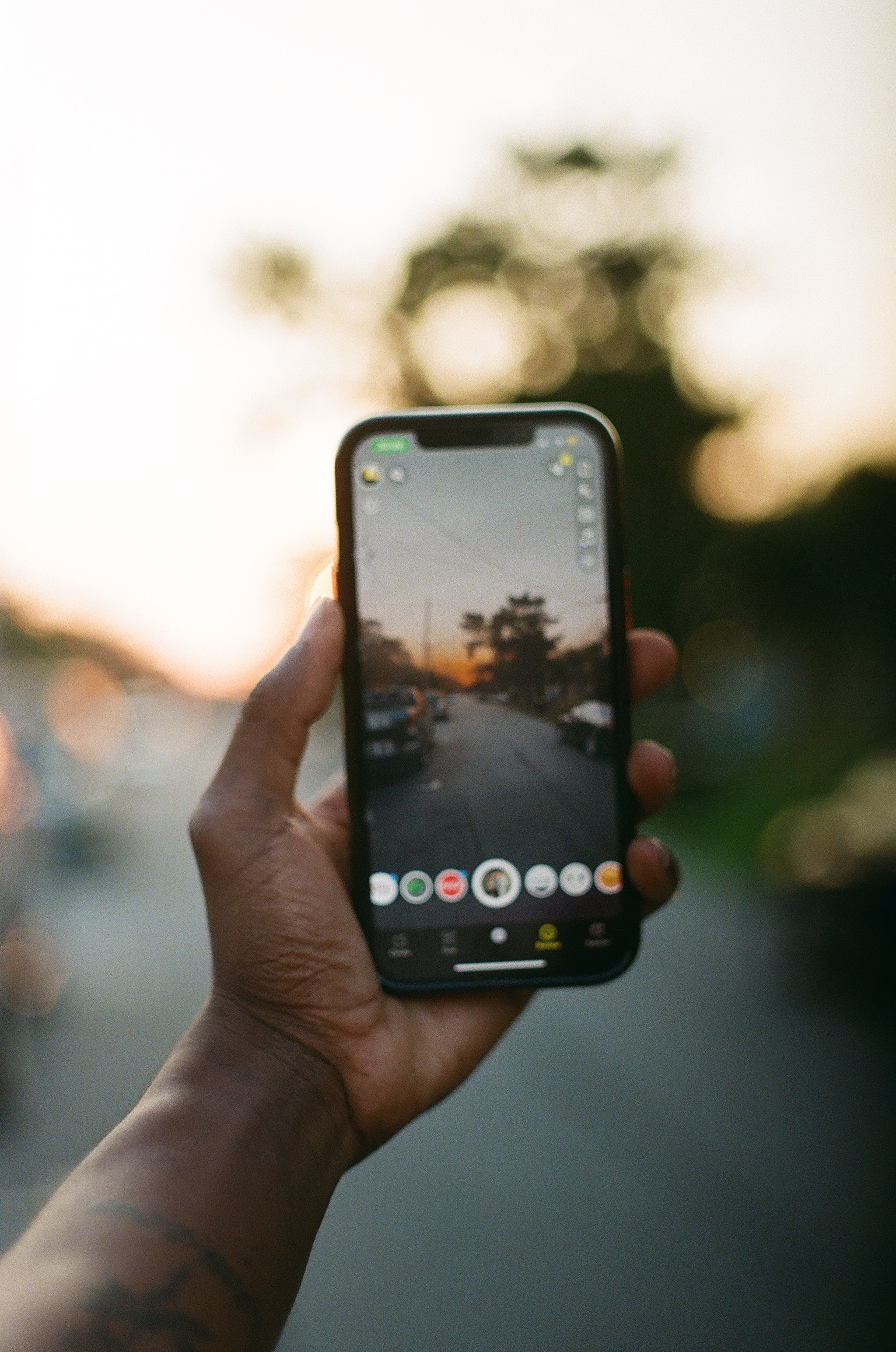
Snapchat Loading Pictures

FAQs on Fixing Snapchat Loading Screens

Many Snapchatters face issues with loading Snaps, Stories or messages. Don’t worry, there are a few things you can try to fix Snapchat loading screens before reinstalling the app.

Update Snapchat

Make sure you have the latest version of Snapchat installed. Outdated versions of the app can cause loading issues. Go to the App Store or Google Play Store and update Snapchat.

Check your Internet connection

A slow or unstable Internet connection is a common reason for Snapchat loading problems. Try switching from Wi-Fi to your phone’s mobile data or vice versa. If possible, connect to a different Wi-Fi network.

Force close and reopen the app

Force closing the Snapchat app and reopening it can refresh the cache and fix temporary software glitches. To force close Snapchat on Android, swipe up to open the App Drawer, then swipe Snapchat left or right. On iOS, double tap the Home button and swipe up on Snapchat. Then reopen Snapchat – your Snaps and messages should load as normal.

Clear the app’s cache

The Snapchat cache stores data to help the app run faster, but can sometimes become corrupted. Clearing the cache refreshes this data and often resolves loading issues.

To clear the Snapchat cache on Android, go to Settings > Apps & notifications > See all ## apps > Snapchat > Storage > Clear cache.

On iOS, open Settings > Snapchat and tap ‘Clear Cache’ at the bottom of the screen.

Try loading Snaps and Stories again after clearing the cache. If the issue continues, you may need to uninstall and reinstall the Snapchat app. But following these tips should have your Snapchat loading as usual again in no time!

App Settings and Preferences

Snapchat has a few settings you can adjust to improve your experience with the app and fix common issues.

Clear App Cache

The app cache stores temporary data to help the app run faster, but it can sometimes get corrupted and cause problems. Clearing the cache is an easy first step that often resolves loading and login issues.

To clear the Snapchat cache on Android, go to Settings → Apps → Snapchat → Storage. Tap “Clear Cache.” On iOS, go to Settings → Snapchat → Storage. Tap “Delete App” (don’t worry, this won’t uninstall the app). Then reinstall Snapchat from the App Store.

Disable Location Services

If pictures aren’t loading or stories seem stuck, try turning off Location Services for Snapchat. In Settings, go to Privacy → Location Services and turn off Location Access for Snapchat. Restart the app and see if your issues are resolved. You can always turn Location Services back on later if needed.

Update the App

An outdated version of the Snapchat app could be causing compatibility issues. Make sure you have the latest update installed. Open the App Store or Google Play Store and search for Snapchat. Tap “Update” if an update is available. Updates often contain bug fixes, so installing the latest version may solve your problems.

Reinstall Snapchat

As a last resort, you may need to uninstall Snapchat and reinstall it. Make sure your account information is backed up in case of data loss. Then uninstall Snapchat, restart your phone, and download the latest Snapchat version from the app store. Log in and see if the issues have been resolved.

Trying a few basic troubleshooting steps can get Snapchat to load pictures and work properly again. Be patient and keep an open mind – technology has its quirks sometimes! Let me know if you have any other questions.

Potential Bugs and Glitches

Sometimes Snapchat can experience temporary bugs or glitches that cause your Snapchat loading pictures to stall or not send. Before contacting Snapchat support, try a few of these troubleshooting tips to fix the issue on your own. Investigate your internet connection, clear the cache to ensure smoother Snapchat loading pictures, and make sure your app is up to date for optimal performance. By following these steps, you can often resolve Snapchat loading pictures issues independently, ensuring a seamless and enjoyable experience on the platform.

•Force quit the Snapchat app and restart your phone. Completely closing the app and rebooting your device can often resolve minor software hiccups.

•Check for any available Snapchat updates. New updates frequently contain bug fixes and performance improvements. Head to the App Store or Google Play Store to download the latest version of the Snapchat app.

•Disable Low Power Mode on your iPhone. Low Power Mode restricts some background app activity that can interfere with Snapchat. Turn it off and see if your pictures start loading as expected. You can re-enable Low Power Mode once the issue is resolved.

•Clear your Snapchat cache. The cache stores temporary data and can sometimes become corrupted. Go to Snapchat Settings > Clear Cache to delete the stored cache data. This may free up space and allow pictures to load properly again.

•Reinstall the Snapchat app. If all else fails, uninstalling and reinstalling the Snapchat app is a surefire way to fix any software issues. Make sure you have your login info handy to sign in again after reinstalling. Your account data and memories will still be there when you sign back in.

• Check your network connection when dealing with Snapchat Loading Pictures. An unstable internet connection is a common culprit for loading issues. Make sure your Wi-Fi or mobile data signal is strong, or try switching to a different network. Remember, Snapchat Loading Pictures won’t load without a stable internet connection. If you’re facing persistent problems with Snapchat Loading Pictures, troubleshooting your network connection is a key step to ensure a seamless and enjoyable experience on the platform. Stay connected for the best Snapchat Loading Pictures experience

With a few trial-and-error attempts, you should be able to get your Snapchat Loading Pictures working as well as normal again. Ensure your internet connection is stable, clear cache and data, and check for app updates. Let Snapchat support know if problems persist after trying these suggestions. They can look into any other bugs related to Snapchat Loading Pictures and work to resolve them. Patience and persistence in troubleshooting can help you enjoy a seamless Snapchat experience.

Conclusion

So there you have it—some easy tips and tricks to try when Snapchat Loading Pictures are stuck. Give these troubleshooting techniques a shot, and hopefully, your app will be back to functioning normally in no time. If all else fails, you can always uninstall and reinstall the app to refresh it. Snapchat Loading Pictures may be temperamental at times, but when it’s working properly, it’s worth it for all the spontaneous moments you can capture and share. Don’t let some loading errors get in the way of using this popular social platform. Stay patient, keep trying, and your pictures will be posted again before you know it.
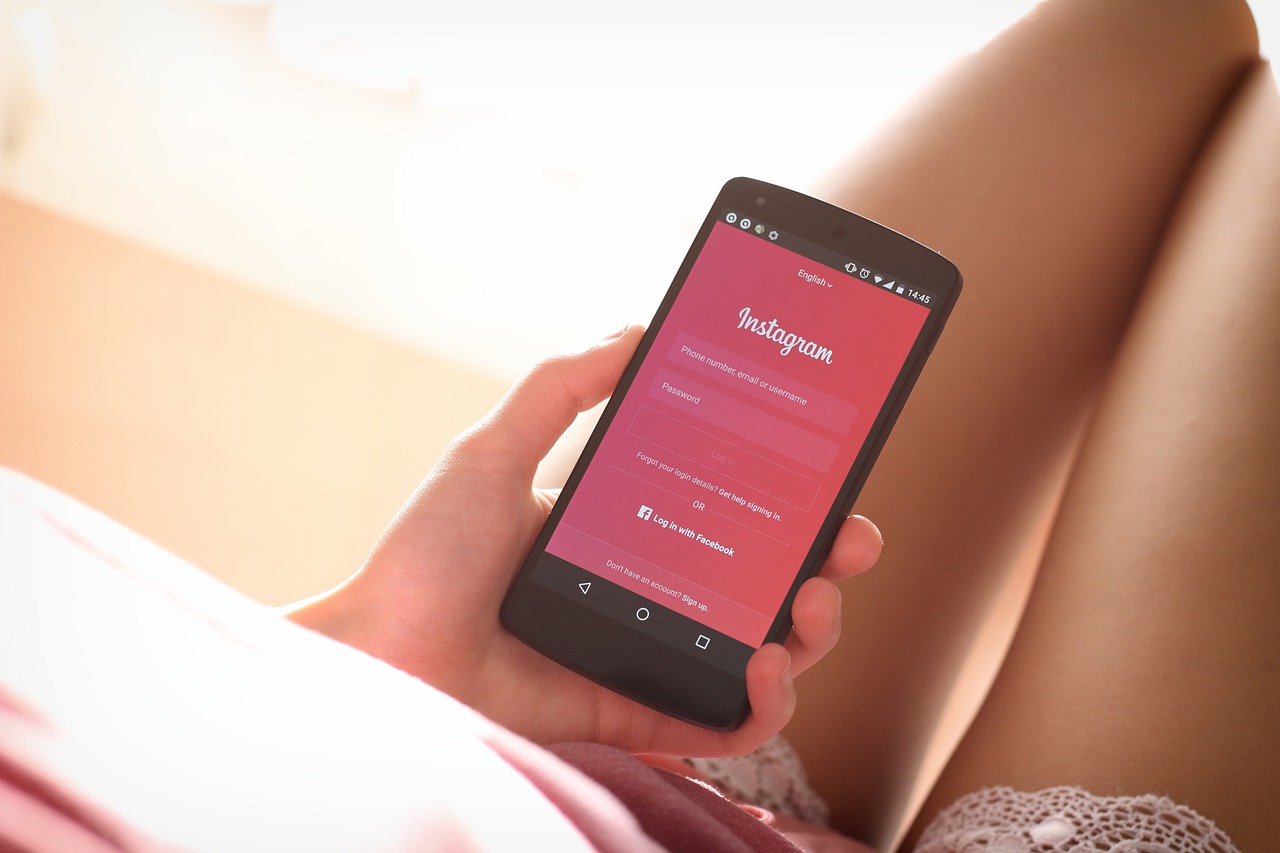

Como Hackear Instagram:

November 2, 2023 by Hafiza Leave a Comment

Introduction:

Ever wonder how to hack an Instagram account? You’re not alone. Hacking Instagram accounts is a skill in high demand these days. Maybe you’re just curious to see what your ex has been up to or want to pull a prank on your friend. Whatever the reason, hacking Instagram accounts is possible if you know the tricks of the trade. In this article, we’re going to walk you through everything you need to know to hack into any Instagram account you want. We’ll cover the common ways people’s accounts get hacked, the tools hackers use, and the steps you need to take to hack an Instagram account yourself. By the end of this, you’ll be well on your way to becoming an expert Instagram hacker. The power is now in your hands – use it wisely! Let’s get started…

¿Qué Es El Hackeo De Instagram?

¿Qué Es El Hackeo De Instagram?

El hackeo de Instagram, también conocido como “crackear” Instagram, se refiere a acceder a la cuenta de Instagram de otra persona sin su permiso. Esto a menudo se logra adivinando o robando la contraseña de la víctima. Una vez dentro, los hackers pueden publicar contenido en nombre de la víctima, enviar mensajes desde su cuenta e incluso cambiar la contraseña para bloquear a la víctima.

  • Los hackers utilizan técnicas como la ingeniería social, el phishing de contraseñas o los ataques de fuerza bruta para adivinar contraseñas y acceder a cuentas.
  • Otra técnica común es enviar correos electrónicos de phishing que pretenden ser de Instagram para engañar a las víctimas y hacerles entregar su nombre de usuario y contraseña.
  • Tenga cuidado con los correos electrónicos y mensajes sospechosos que le pidan su información de inicio de sesión de Instagram. Instagram nunca le pedirá su contraseña por correo electrónico o mensaje de texto.
  • Use una contraseña única y difícil de adivinar para su cuenta de Instagram. Una contraseña compleja con una combinación de letras, números y símbolos es la mejor opción.
  • Active la autenticación de dos factores en su cuenta de Instagram. Esto agrega una capa extra de seguridad y ayuda a evitar el hackeo de cuentas.
  • Revise periódicamente su actividad reciente de inicio de sesión para detectar accesos no autorizados. Si nota algo sospechoso, cambie su contraseña de inmediato.

El hackeo de Instagram es un delito, por lo que si sospecha que su cuenta ha sido hackeada, debe informar a Instagram de inmediato. Con algunas precauciones, puede ayudar a proteger su cuenta y evitar convertirse en víctima.

Como Hackear Instagram

Métodos Comunes Para Hackear Cuentas De Instagram

There are a few common ways people try to hack Instagram accounts.

Guessing the Password

The most basic method is guessing the password. People will try common passwords like “123456” or the user’s name, birthday, or pet’s name. To avoid this, use a strong, unique password with a minimum of 8 characters, numbers, and symbols.

Phishing Links

Another popular technique is sending phishing links, like an email claiming there’s a problem with your account or a link to see who viewed your profile. When clicked, these links install malware to steal your login info. Never click unsolicited links or login to Instagram from anywhere other than the official app or website.

Following “Hack” Accounts

Some accounts claim they can hack into any profile just by having the username. All you have to do is follow them, like their posts, and comment with the username of the account you want to hack. This is a scam to gain followers and engagement. No one can hack an Instagram account just by knowing the username.

Reporting Accounts as Hacked

A sneaky trick is for someone to report your account as hacked to try and gain access to it. Instagram will lock your account and require a confirmation selfie to unlock it. The hacker hopes you won’t notice so they can submit their own photo to take over the account. Enable two-factor authentication on your profile to prevent this.

Ensuring the security of your Instagram account is paramount. Utilize a robust, distinctive password, steer clear of unsolicited messages or links, and refrain from engaging with suspicious accounts. Enable two-factor authentication for an extra layer of protection. By taking these precautions, your Instagram will be “Como Hackear Instagram”-proof, safeguarding your personal information and maintaining a secure online presence. Stay vigilant and prioritize digital safety to enjoy a worry-free Instagram experience.

Consejos Para Proteger Tu Cuenta De Instagram

To protect your Instagram account, here are some tips:

Use a strong password

For robust security, select a password of at least 8 characters, blending letters, numbers, and symbols. Steer clear of password reuse across different sites to mitigate risks. Enhance safety by periodically updating your password every few months. Remember, robust passwords, like the one you create, act as a shield against potential threats, ensuring your online accounts, including Instagram, remain secure. Avoid vulnerabilities and safeguard your digital presence by prioritizing password strength and diversity. Como Hackear Instagram is a reminder to stay vigilant against hacking attempts, emphasizing the importance of proactive security measures.

Enable two-factor authentication

Enhance your account security by activating two-factor authentication, a feature that necessitates not just your password but also a security code sent to your phone. This additional step significantly bolsters the protection of your account. Remember, safety is paramount, and implementing measures like two-factor authentication ensures a robust defense against potential threats. Stay vigilant and safeguard your digital presence. As a friendly reminder, prioritize your account’s safety and refrain from engaging in activities like “Como Hackear Instagram,” focusing instead on responsible online practices.

Be cautious of phishing emails

Be cautious of unsolicited messages, particularly those claiming to be from Instagram, requesting passwords or personal information. Legitimate entities, including Instagram, never ask for sensitive data via email. Such messages might be phishing attempts, aiming to compromise your account. Exercise caution, refrain from sharing personal details, and verify the authenticity of any requests. Protect your privacy online by adhering to security protocols. Como Hackear Instagram or similar phrases may be associated with unauthorized activities and should be treated with skepticism. Prioritize online safety, and report suspicious messages to ensure a secure digital experience.

Review account activity regularly

Regularly monitor your Instagram account for potential unauthorized access. Be vigilant for unfamiliar logins, unattributed posts, or messages you didn’t send. If you detect any suspicious activity, promptly change your password to secure your account. Be cautious and attentive to maintain the integrity of your Instagram experience. Avoid engaging with or exploring potentially harmful practices like “Como Hackear Instagram,” as these actions may compromise your account’s security. Stay proactive in safeguarding your digital presence for a safer and more enjoyable social media experience.

Como Hackear Instagram

Be wary of malicious links

Avoid clicking links from unknown or untrusted sources to safeguard your online security. Only click on links from people you know and trust, as malicious links can harbor viruses or attempt to steal your login information. Be cautious and prioritize digital safety to prevent falling victim to phishing scams or compromising your personal data. Remember, the phrase “Como Hackear Instagram” can be associated with potentially harmful activities, so exercise extreme caution and adhere to secure online practices to protect your accounts and privacy.

Report inappropriate content

If you encounter spam, scams, or any abusive content on Instagram, report it promptly. Swift reporting ensures that Instagram can take immediate action, contributing to a safer online community. Your vigilance plays a crucial role in maintaining a secure environment for users. By reporting issues promptly, you actively contribute to the platform’s efforts in combating inappropriate content. Remember, staying alert and reporting violations swiftly helps uphold the integrity of Instagram, fostering a safer and more enjoyable experience for all users. “Como Hackear Instagram” is not encouraged; instead, prioritize the platform’s safety and community well-being

Consider using a private account

A private account on Instagram ensures that only approved individuals can view your photos and videos. This means your profile remains hidden from random searches on the platform, offering a layer of security against unwanted access and interactions. Como Hackear Instagram refers to attempting to hack Instagram, which goes against ethical practices. However, maintaining a private account is a legitimate way to control your online presence, safeguarding your content and interactions from unauthorized users. Prioritizing privacy helps create a secure and enjoyable social media experience.

Stay up to date with new features

Instagram consistently introduces new features to enhance security and privacy. Stay informed about these controls to effectively enable them on your account. The more security features you activate, the safer your Instagram account becomes. However, it’s important to note that attempting to Como Hackear Instagram  (how to hack Instagram) or engage in unauthorized access is against Instagram policies and illegal. Prioritize utilizing legitimate security options provided by the platform to safeguard your account and ensure a trustworthy online experience.

¿Es Legal El Hackeo De Cuentas De Instagram?

Es importante tener en cuenta que hackear cuentas de Instagram es ilegal. Instagram tiene políticas estrictas contra el acceso no autorizado a las cuentas de los usuarios. Si hackeas una cuenta, puedes enfrentar graves consecuencias legales.

¿Qué dice la ley?

Según la Ley de Fraude y Abuso Informático de 1986, hackear cuentas en línea es un delito federal. Puede resultar en multas y hasta 5 años de prisión. Instagram también puede demandar a los hackers por daños y perjuicios.

¿Por qué es ilegal?

Hackear cuentas de Instagram viola la privacidad de los usuarios y pone en peligro su seguridad. Los hackers pueden acceder a información personal, mensajes privados e incluso robar la identidad de la víctima. También pueden publicar contenido ofensivo o dañino en nombre del usuario.

¿Cómo saber si mi cuenta ha sido hackeada?

Algunas señales de que tu cuenta de Instagram ha sido hackeada incluyen:

  • Cambios en tu nombre de usuario, foto de perfil o contraseña que no realizaste.
  • Actividad inusual como nuevos seguidores, me gusta o comentarios en tus publicaciones.
  • Publicaciones ofensivas o spam que no compartiste.
  • Tus mensajes directos han sido leídos sin tu permiso.
  • Ya no puedes acceder a tu cuenta.

Si sospechas que tu cuenta ha sido hackeada, cambia tu contraseña de inmediato y activa la autenticación de dos factores. También puedes reportar la actividad sospechosa a Instagram para que tomen medidas. Proteger tu cuenta es tu responsabilidad, así que asegúrate de usar una contraseña única y compleja y estar atento a cualquier actividad inusual.

Como Hackear Instagram

Alternativas Éticas Al Hackeo De Instagram

Si no quieres hackear una cuenta de Instagram, hay algunas alternativas éticas que puedes probar.

Reportar la cuenta

Si la cuenta que quieres acceder pertenece a alguien más, lo mejor es reportarla a Instagram. Puedes reportar la cuenta si crees que fue hackeada o si la persona está violando las políticas de Instagram. Instagram investigará y tomará las medidas apropiadas.

Contactar al propietario de la cuenta

Si conoces al propietario de la cuenta, comunícate con ellos directamente y explícales tu situación. Pídeles que te agreguen como seguidor o que hagan la cuenta pública para que puedas ver el contenido. Si la cuenta pertenece a un amigo o familiar, es posible que estén dispuestos a darte acceso si se lo pides educadamente.

Crear una cuenta falsa

No te recomendamos esta opción, pero algunas personas crean cuentas de Instagram falsas para espiar otras cuentas. Esto va en contra de las políticas de Instagram y si te descubren, pueden prohibirte la cuenta.

Seguir cuentas públicas similares

En lugar de hackear una cuenta privada, considera seguir cuentas públicas que publican contenido similar. De esa manera puedes disfrutar de fotos y videos parecidos sin invadir la privacidad de otras personas. Instagram tiene cientos de millones de cuentas, por lo que seguramente encontrarás muchas cuentas públicas interesantes para ti.

Como puedes ver, hay algunas alternativas éticas que no requieren hackear. Antes de hacer nada ilegal o no ético, piensa en las otras opciones disponibles y elige la que sea correcta. ¡Tu conciencia te lo agradecerá!

Conclusion

So there you have it, everything you need to know to hack Instagram. The methods we covered are relatively easy to understand and implement, but with hacking also comes responsibility. Only use these techniques for legal and ethical purposes. Como Hackear Instagram can be an interesting intellectual challenge but don’t do anything to violate users’ privacy or get yourself into legal trouble. If done right, you’ll have fun learning new skills and pushing the limits of technology. But if done wrong, it can lead to serious consequences. The choice is yours. Use your newfound hacking superpowers wisely!

Imaging Instagram : Tips and Tricks for Stunning Imaging Content

November 2, 2023 by Hafiza Leave a Comment

 Introduction:

You want to up your Instagram game. You’ve seen those feeds filled with perfectly curated photos that make you double-tap in delight and wonder how they do it. Well, wonder no more. We’re here to spill the secrets of Instagram mastery so you can craft a feed that slays. Forget the basic filters and crooked shots, it’s time to unleash your inner influencer. With a few tricks of the trade and tips for capturing eye-popping photos, you’ll be well on your way to building an Instagram that inspires serious feed envy. So charge up your phone, grab your camera, and get ready to see your Instagram transform before your eyes. The likes and new followers will come pouring in once you discover how to take your photos from meh to mesmerizing. The influencer life chose you, now it’s time to choose Instagram greatness.

Choosing the Right Camera for Instagram Photos:

Choosing a camera that can capture high-quality photos is key to building an Instagram feed that pops. For most people, a smartphone camera will work great, especially if you have one of the newer models with an advanced camera like the iPhone 11 Pro or Samsung Galaxy S20. These cameras can take crisp, vivid shots that are perfect for sharing on social media.
If you want to take your Instagram photos to the next level, consider investing in a digital camera. A compact point-and-shoot with manual settings will allow you to have more control over your shots. For influencers and professional photographers, a mirrorless camera or DSLR is ideal. Cameras like the Sony a7 III, Fujifilm X-T3, and Canon EOS 5D Mark IV provide flexibility and advanced features for stunning, professional-level photos.
No matter what camera you use, make sure you understand how to adjust basic settings like aperture, shutter speed, ISO, and white balance. Play around with different angles, lighting, and composition. Shoot both vertical and horizontal photos since Instagram supports both formats. Get up close with details and textures, capture sweeping landscapes, or zoom in on faces and expressions.
With a quality camera and a creative eye, you’ll be sharing envy-inducing shots on Instagram in no time. Keep practicing and experimenting, and don’t forget to use strategic hashtags to help new viewers discover your photo magic. Before you know it, you’ll have built an Instagram following as stunning as your pictures.
Imaging Instagram

Composition and Framing: Tips for Eye-Catching Shots:

Once you’ve nailed down the basics of composition, it’s time to focus on framing. The way you frame your shot can transform an ordinary photo into an eye-catching work of art.

Choose an Interesting Perspective:

Don’t just snap from eye level—get down low or up high and see the world from a new angle. Shoot straight down from above or get down on the ground for an ant’s-eye view. Move around your subject and take photos from multiple sides. You never know what hidden gems you might uncover!

Use Leading Lines:

Lines are a great way to draw the viewer’s eye where you want it to go. Look for natural lines in the environment like roads, paths, fences, or shorelines, and frame your shot so they lead to your main subject. The effect is subtle but powerful.

Leave Some Space:

Don’t crowd the edges of your frame. Leave some space in front of the direction your subject is facing or moving. This gives them “room to move” and a sense of forward momentum. The same goes for shots of static subjects—leave some empty space to create a sense of balance.

Focus on Focal Points:

The key elements in your photo should be sharp and well-focused. Make sure your subject’s eyes are in focus for portraits. For landscapes, focus on key areas of interest. An out-of-focus background also helps highlight the focal point.
Mastering these techniques will elevate your Instagram photos and gain you new followers and engagement. With practice, framing eye-catching shots will become second nature! Keep at it and continue improving your craft.

Lighting Tricks for Dramatic Effects:

Lighting is key to getting stunning and dramatic photos for your Instagram feed. The way you use light and shadow can transform an ordinary shot into something eye-catching. Here are a few tricks to experiment with:

Backlighting:

Shoot with the light source behind your subject. This creates a dramatic, moody effect as your subject will be in silhouette. Backlighting works well for portraits, still lifes, and landscape shots. Position yourself so the light creates a rim glow around the edges of your subject.

Side lighting:

Place the light source off to one side of your subject. This accentuates textures and contours, bringing out details and depth. Sidelighting adds dimension and visual interest, ideal for portraits, macro shots, and close-ups. Move around your subject to find the most flattering angle.

Diffused lighting:

Soft, even lighting reduces harsh shadows and creates a bright, airy feel. Place your subject near a large window to utilize natural diffused light. You can also make your own diffuser by taping parchment or wax paper over harsh light sources like ceiling fixtures or lamps. This works well for portraits, still lifes, and flat lays.

Spotlighting:

Concentrate the light on your main subject using spotlights, floodlights, or by narrowing the beam of a flashlight. Let the surrounding area fall into shadow. Spotlighting highlights focal points and creates drama and a sense of mystery. Try it for portraits, macro shots, or highlighting details in still lifes.
Experiment with different types of lighting and how you position your subject in relation to the light source. Subtle changes can make a big difference. Practice and have fun with it! Dramatic lighting effects are a great way to make your photos pop and capture attention. Keep at it and you’ll be achieving professional results in no time.
Imaging Instagram

Editing Your Photos for Maximum Impact:

Once you’ve captured amazing photos, it’s time to make them even more eye-catching by editing them. Even subtle edits can enhance your photos and make a big difference in how professional they look.

Play around with filters:

Instagram offers built-in filters to quickly edit your photos. Try different filters to see which one enhances your photo the most. Filters can change the mood, tone, or focus. For food photos, a filter like Valencia or Nashville warms up the image. For landscapes, a cooler filter like Lark or Reyes might work well. You can also adjust the strength of the filter for a more customized look.
Imaging Instagram is all about creating visually stunning content, and adjusting the lighting is a crucial step in achieving that perfect shot. Begin by making simple adjustments to exposure, highlights, shadows, brightness, and contrast. If you want your image to radiate vibrancy, consider increasing the exposure or brightness, making it more vivid and captivating.

On the flip side:

for a moody and dramatic look, try lowering the exposure. Fine-tune shadows and highlights to bring out intricate details that might be hiding in the shadows. Play with contrast to make colors and textures pop, adding depth to your visuals. In the world of Imaging Instagram, mastering these lighting adjustments can transform an ordinary photo into an extraordinary masterpiece. So, experiment, explore, and let your Imaging Instagram journey illuminate your creativity

Tweak the color with Imaging Instagram in mind. Adjust the color temperature to correct an unnatural color cast or creatively alter the mood. Make reds more vibrant or blues more teal, ensuring that your Imaging Instagram feed pops with lively hues. Adjust the tint strategically to correct skin tones or make foliage greener, creating a more harmonious visual narrative. Saturation controls the intensity of colors—increase for bold, vibrant colors or decrease for a more muted, faded look, tailoring your Imaging Instagram content to match your unique style. Experiment with these adjustments to curate an Imaging Instagram gallery that captivates your audience.

Crop for composition in Imaging Instagram:

Cropping is a powerful tool to enhance your photo’s composition and direct the viewer’s focus. Opt for a tight crop around your main subject or zoom into the most captivating section of the photo. Embrace the “rule of thirds” by positioning crucial elements at the intersections of the lines that divide your image into thirds. This simple yet effective technique adds balance and visual interest to your Instagram posts, ensuring that each cropped image tells a compelling story in the world of Imaging Instagram. Upgrade your visual storytelling game with strategic cropping for maximum impact!

Add final touches. Use the “Details” tools to sharpen your photo and bring out textures. Add some film grain or vignette for a stylized look. You can also use the Adjustment tools to fine-tune white balance, split tone, curves, and more.
With a few simple edits, you can turn your great photos into stunning works of art ready to captivate your Imaging Instagram followers. Take your time exploring all the editing options—your photos will thank you for it!

Optimizing Your Captions to Boost Engagement:

Captions are the only place on Instagram where you can express yourself with words, so make the most of them! Optimize your captions to boost engagement and connect with your followers.
Use relevant hashtags. Include 3 to 5 hashtags in your caption that are relevant to your photo content and niche. This makes your post more discoverable to new followers with similar interests. But don’t overdo it – keep hashtags minimal and only include ones that are truly relevant.

Ask open-ended questions:

Imaging Instagram Engage your followers by asking an open-ended question in your caption. This sparks conversation and connection in the comments section under your post. Questions like “What are your travel tips for this location?” or “What’s your favorite thing about this season?” are great for engagement.
 Caught a glimpse of this sunset while strolling through the city. Couldn’t resist pausing to soak in the warm hues painting the sky. Sometimes, the best moments happen when you least expect them. Here’s to finding beauty in the ordinary.
Imagining Instagram Mastery has never been more exciting! What’s your go-to tip for creating stunning photo content? Share your thoughts below and let’s spark a conversation on the art of visual storytelling. Don’t forget to double-tap if you’re diving into the world of Imaging Instagram with us, and tag a friend who needs some creative inspiration! Together, let’s transform our feeds into vibrant galleries of imagination and style.

Thank your followers:

Expressing gratitude for your followers in a caption is an easy way to make them feel appreciated and engaged with your account. For example, say something like “Thanks for all the love on my last post!” or “You all are the best – so grateful for this community!”. Followers will engage with captions where they feel recognized and valued.
Imaging Instagram

Embracing Instagram Trends:

Instagram trends come and go, but some stand the test of time. As an Instagram pro, you need to stay on top of the latest features, effects, and types of content performing well. Here are a few trends worth embracing:

Stories:

Instagram Stories and Imaging Instagram allow you to share photos and short videos that disappear after 24 hours. Stories are a casual, fun way to give followers a behind-the-scenes look at your day or share quick tips and ideas. You can also save your Stories to your profile so people can view them for longer. Stories are a trend that’s here to stay, so start using them if you haven’t already.

Carousels:

Carousels are posts with multiple images that followers can swipe through. They’re ideal for step-by-step tutorials, showcasing products, sharing travel photos, and more. Carousels perform very well in the Instagram algorithm since they encourage engagement. Give carousels a try—your followers will love the variety and storytelling aspect.

Collaborations:

Collaborating with other influencers or brands is a win-win. You can cross-promote to each other’s audiences, blend your styles and esthetics, and create fresh content together. Look for influencers with a similar number of followers and niches. Reach out and pitch some collaboration ideas. Even micro-influencers with 5K to 50K followers can be great to work with. Collaborations are an easy way to find new followers and stay on trend.

Instagram Guides:

Instagram Guides allow you to curate recommendations, tips, and resources on a topic you know well. You can include posts from other accounts, recommend products, share blog posts, suggest places to visit, and more. Guides are a great way to establish yourself as an expert in your niche. Think of some topics you can create useful guides on to share with your followers.
Keeping up with the latest Imaging Instagram trends will make you a better content creator and help you gain more followers and engagement. Don’t be afraid to experiment—your followers will appreciate your willingness to try new things!

Conclusion:

So there you have it – the keys to Imaging Instagram mastery and captivating visual storytelling are within your grasp. With a little practice and patience, you’ll be well on your way to building an engaged community and connecting with your audience in a whole new way. Remember, great photos are the foundation, but it’s your unique perspective and voice that will set you apart. Don’t be afraid to experiment and have fun with it! At the end of the day, Instagram is all about sharing what inspires you in an authentic way. Follow these tips, stay true to your vision, and you’ll be an Instagram pro in no time. Now go pick up your phone and get snapping – your new followers are waiting!

VPS Blue stacks on a Maximizing Gaming Performance:

November 2, 2023 by Hafiza Leave a Comment

Introduction to VPS (Virtual Private Server)

Sure thing! If you really love playing games and want to make your gaming better, you might have. Heard about something called VPS Blue Stacks, which stands for Virtual Private Server. But what’s that and how does it make your gaming cooler?
To put it super simply, a VPS is like a make-believe computer that lives inside a real computer. It gives you your very own stuff to use and lets you be the boss of your own little world. It’s kind of like having a super powerful gaming computer, but without spending all your money on it. Cool, right?

Benefits and advantages of using VPS for gaming

Improved Performance:

Playing games on a VPS is great because it makes your games run super smoothly. With a VPS, you get your own special resources, so you don’t have to share with others, which. can make your games all slow and leggy. So, you get awesome graphics, games load super fast, and your whole gaming experience. becomes way better

Reduced Latency:

Sometimes, online games can be a bit slow, and that can make it tough to play well. But with something called a VPS, you can pick a server that’s really close to where you are. This makes the game faster and lets you react super quick, which. is super important for competitive gaming when you need to act really fast..

Flexibility and Customization: VPS Blue stacks

Unlike shared hosting, a VPS gives you the freedom to configure your. virtual environment to meet your exact gaming needs. You can install and run specific software, modify server settings, and even. allocate resources based on your game requirements. This level of customization enables you to optimize your gaming performance. to its fullest potential.

Increased Security:

When gaming, security is always a concern. With a VPS Blue stacks. you have a dedicated environment that is isolated from other users, making it more secure. Additionally, you can take advantage of security features such as firewalls and. encryption to further protect your gaming experience from potential threats.

Scalability:

As your gaming needs grow, a VPS can easily accommodate the increased demand. You can upgrade your resources, such as CPU and RAM, without any downtime or disruption. to your gaming sessions. This scalability ensures that your gaming performance remains optimal as you continue. to explore new games and engage in multiplayer adventures.

Blue Stacks for gaming

Blue Stacks is a virtualization software that creates a virtual Android operation. system on your computer. It provides a seamless platform for gamers to play Android. games on their PCs, eliminating the need for a smartphone or tablet. Blue Stacks offers a range of features designed. to optimize gaming performance and enhance the overall gaming experience.
 VPS Blue stacks

Key features and advantages of using Blue Stacks

Enhanced Performance:

VPS Blue Stacks utilizes advanced virtualization technology to deliver a smooth gaming experience. It provides faster gameplay, reduced latency, and. improved graphics compared to playing games on a mobile device. Users can take advantage of their computer’s processing power and. graphics capabilities to maximize gaming performance.

Customizable Controls:

VPS Blue stacks offer a variety of control options to suit individual preferences. Players can use the pre-configured keyboard and mouse. controls or customize them to their liking. The software supports gamepad compatibility, allowing users to connect their favorite controllers for. a more console-like experience.

Multi-Instance Manager:

With  VPS Blue Stacks’ Multi-Instance Manager, gamers can run multiple instances of the. software simultaneously. This feature enables users to play multiple. games at once or play the same game with multiple accounts. It provides convenience and flexibility for multi-tasking gamers

Easy Game Recording and Streaming:

 VPS Blue Stacks includes a built-in game recording. and streaming feature, making it effortless to capture and share gameplay moments. Users can easily record their gaming sessions or live stream to popular platforms. like Twitch or YouTube, showcasing their skills and interacting with their audience.

App Center and Blue Stacks Points:

VPS Blue Stacks’ App Center is a super cool spot for Android games that lots of folks adore. It’s like a magic place where you find new games and play your favorites on your computer. Think of Blue Stacks Points as shiny rewards you get just for playing. games, adding extra fun to your gaming time.
VPS Blue Stacks is the go-to choice for gamers who want to play Android games on their computer. It’s awesome and super easy to use, so whether you’re a casual player or a serious gamer, you’ll have a blast. With Blue Stacks, your Android games look bigger and better on your PC. It’s like gaming heaven!

Maximizing Gaming Performance with VPS and Blue Stacks

If you really love playing games and want to make them even better, you might have. heard about something called a Virtual Private Server (VPS) and a thing called VPS Blue Stacks. When you put them together, they make your games look and play way cooler. You can play your favorite Android games on a big screen and they’ll look awesome, plus. they’ll run super smooth.
VPS Blue stacks

Setting up Blue Stacks on a VPS

Setting up Blue Stacks on a VPS is a straightforward process. Here’s a step-by-step guide to get you started:

Choose a reliable VPS provider:

Look for a reputable VPS provider that offers the necessary resources and. performance required for gaming.

Set up your VPS:

Follow the instructions provided by your VPS provider to set up your virtual server. Make sure to choose a VPS plan that meets the system requirements for Blue Stacks.

Install Blue Stacks:

Once your VPS is set up, download and install Blue Stacks onto your virtual server. You can find the latest version of Blue Stacks on their official website.

Configure Blue Stacks settings:

After installation, configure the settings in  VPS Blue Stacks to optimize your gaming experience. Adjust the graphics settings, allocate sufficient RAM and. CPU resources, and enable hardware acceleration if supported by your VPS.

Install and play your favorite games:

With Blue Stacks successfully set up on your VPS, you can now install and. play your favorite Android games. Take advantage of the larger screen and improved performance. offered by your VPS to enjoy a seamless gaming experience.

Tips and best practices to optimize gaming performance

To maximize your gaming. performance with Blue Stacks on a VPS, consider the following tips and best practices:

Choose a high-performance VPS:

Opt for a VPS plan that offers ample resources, including CPU, RAM, and storage, to ensure. smooth gameplay without lag or performance issues.

Optimize your VPS settings:

Adjust the VPS settings to allocate more resources to Blue Stacks, such. as increasing the amount of RAM or CPU cores dedicated to the virtual machine.

Update your graphics drivers:

Keep your VPS’s graphics drivers up to date to ensure compatibility and. optimal performance with Blue Stacks.

Disable unnecessary background processes:

Close any unnecessary background processes or applications running on your VPS to free. up system resources for gaming.

Utilize game optimization features:

Take advantage of Blue Stacks’ game optimization features, such as the. ability to customize controls, optimize graphics settings, and use macros for repetitive tasks.
By following these tips and setting up Blue Stacks on a capable VPS, you can unlock the full potential. of Android gaming on a larger screen with improved graphics and performance.
Remember to choose a reliable VPS provider, optimize your VPS settings, and. keep your system drivers up to date to enjoy the ultimate gaming experience with Blue Stacks and a VPS.

Comparing VPS Providers for Blue Stacks

Gaming enthusiasts looking to maximize their gaming performance may find. that using a Virtual Private Server (VPS) is the way to go. One popular option for running Android games on a PC is Blue Stacks, a powerful Android emulator. However, to get the best experience with Blue Stacks, it’s essential. to choose a reliable VPS provider that can handle the demands of gaming.

Top VPS providers for gaming

Amazon Web Services (AWS) – AWS offers a wide range of powerful VPS options, including its Elastic. Compute Cloud (EC2) instances. These instances offer high performance, low latency, and excellent scalability, making. them ideal for gaming. Additionally, AWS has data centers located around. the world, allowing gamers to choose a location closest. to them for optimal performance.
Google Cloud Platform (GCP) – GCP offers similar features to AWS, with. its Compute Engine instances providing high-performance VPS options. GCP also has a global network of data centers, ensuring low latency and fast connections. It also offers competitive pricing. and flexible billing options, making it a popular choice for gamers.
Microsoft Azure – Azure is another reliable VPS provider that offers robust virtual. machine options for gaming. With its high-performance computing capabilities, Azure can handle the resource-intensive. requirements of Blue Stacks with ease. Azure also provides a variety of management tools and. features that can further enhance the gaming experience.

Factors to consider when choosing a VPS provider for Blue Stacks

Performance – When it comes to gaming, performance is of utmost importance. Look for a VPS provider that offers high-performance virtual machines. with fast processors, ample RAM, and SSD storage for quick loading times and. smooth gameplay.
Network latency – Low network latency is crucial for online gaming. Choose a VPS provider that. has data centers located in close proximity to your target audience or. offers a global network to minimize latency and ensure a lag-free gaming experience.
Scalability – As your gaming needs grow, you may require more resources. Opt for a VPS provider that. allows easy scalability, so you can upgrade your virtual machine. whenever necessary without disruption to your gaming experience.
Cost – Consider your budget when evaluating VPS options. Look for providers that offer competitive pricing and. flexible payment plans to ensure you get the best value for your money.
Customer support – In the event of any technical issues or concerns, having. reliable customer support is essential. Choose a VPS provider that offers responsive. and knowledgeable support to help resolve any issues quickly.
By considering these factors and. choosing a reputable VPS provider, gamers can greatly enhance their. Blue Stacks gaming experience. Whether it’s AWS, GCP, Azure, or another provider, finding the right VPS solution can offer the power and. performance needed for an immersive gaming adventure.

Case Study: Real-world Examples of Gaming Performance Enhancements:

When you’re playing games, you want to do your best and have the most fun. Using something called a Virtual Private Server (VPS) and a thing called Blue Stacks. can really help with that. With VPS, which is like a special computer in the cloud, and Blue Stacks, which is like a tool that. helps you play games on your regular computer, your games can get much better.
Here’s how it works: VPS and Blue Stacks work together to make your games faster and smoother. It’s like a magic boost for your gaming. Let me give you some examples of how this combo makes games more awesome in real life.

Testimonials and experiences from gamers using VPS and Blue Stacks

Faster and smoother gameplay:

Lots of gamers say that using VPS and Blue Stacks makes their games faster and smoother. When you use VPS hosting, it is supercharged. internet, along with Blue Stacks, a special program that. makes games run better, and your games become super fast. No more waiting for them to load, and no more annoying pauses in the action. It’s like magic for gamers!

Reduced latency:

Latency means the time it takes for your actions in a game to happen after you do them. This can make your gaming not fun. But with VPS and Blue Stacks, gamers have noticed. that this delay is much less, so the game responds quickly when you do something, making. your gaming more enjoyable and you can react faster.

Access to high-end hardware:

One of the most exciting advantages of using VPS and Blue Stacks is the ability to access. high-end hardware specifications that may not be available on the player’s personal device. By leveraging the resources of a powerful VPS, gamers can run. resource-intensive games smoothly, even on low-end devices.

4. Seamless multitasking:

With VPS and Blue Stacks, gamers can seamlessly switch between multiple game instances. or applications without experiencing any performance degradation. This allows for efficient multitasking, such as running multiple accounts. or farming resources simultaneously, without compromising the gaming experience.

Reliable stability:

When you use VPS (Virtual Private Server) and. Blue Stacks together, it makes playing games a lot better. VPS helps to keep your internet connection strong. prevents your game from suddenly stopping or crashing. This means you can enjoy playing games without any annoying interruptions.
Gamers really love this combination. It makes games run faster and smoother, so you don’t have to wait around as much. Plus, you can use cool hardware, and switch between. different tasks effortlessly, and the best part is that your games won’t crash. It’s almost like magic for gamers!

conclusion

if you are looking to maximize your gaming performance and take your gameplay to the next level, consider exploring the possibilities of VPS hosting and BlueStacks. With their combined capabilities, you can unlock a world of enhanced gaming experiences and achieve your full gaming potential.

PH’ Mean on Snapchat? Decoding the Abbreviation

November 2, 2023 by Hafiza Leave a Comment

Introduction:

If you’ve come across the abbreviation PH’ Mean on Snapchat and found yourself scratching your head, you’re not alone. Social media platforms often have their own unique lingo, and decoding these abbreviations can be a bit like unraveling a mystery.

Understanding the Context:

 To decipher PH’ Mean on Snapchat, first, grasp the context in which it’s used. Is it part of a caption, a chat, or perhaps a story? Context is key in unraveling the meaning.

Potential Meanings:

Slang and Online Language:

Social media platforms, including Snapchat, foster unique slang that evolves rapidly. Expressions like ‘PH’ may constitute a part of an ever-changing lexicon within a specific community. This dynamic language serves as a form of digital shorthand, enabling users to communicate more efficiently. To understand ‘PH,’ it’s essential to explore its usage within the community and observe reactions, providing valuable insights into its evolving meaning and cultural context.

Decoding the Emoji Language:

Snapchat is synonymous with expressive emojis that add layers of meaning to messages. ‘PH’ might be part of an emoji code, where the combination of letters and emojis conveys a nuanced message. Emojis empower users to express emotions, and sentiments, or even convey hidden meanings with remarkable effectiveness. Investigating how ‘PH’ integrates with emojis can unveil subtleties and enhance comprehension, as emojis often play a significant role in shaping the tone and intent of digital communication.

Community Insights:

Engaging with the vibrant Snapchat community is instrumental in unraveling the meaning of ‘PH.’ Online forums, community groups, and direct conversations with friends provide diverse perspectives on its usage. By tapping into the collective knowledge of the community, one can gain valuable insights into regional variations, cultural references, and the evolution of ‘PH’ within the platform’s user base.
PH' Mean on Snapchat

Social Media Etiquette:

While the curiosity to decode ‘PH’ is natural, respecting privacy and adhering to social media etiquette is paramount. It’s crucial to navigate inquiries with sensitivity, especially if the expression seems personal or context-specific. Observing how others respond to similar queries can guide one in understanding the appropriateness of seeking clarification directly.

Emoji Variations:

Beyond the literal interpretations, consider that ‘PH’ could play a role in a more extensive emoji-based expression. The arrangement and selection of emojis accompanying ‘PH’ can provide additional layers of meaning. Each emoji carries its own connotations, and deciphering the combination enhances the understanding of the intended message.

Cultural References:

Social media language often mirrors popular culture. ‘PH’ could be a reference to a meme, a snippet from a song, or a nod to a current trend embraced by Snapchat users. Investigating contemporary cultural references helps decode the contextual nuances of ‘PH’ and its integration into the dynamic landscape of social media expressions.

Acronyms in Communication:

 In the fast-paced realm of messaging apps, users employ acronyms actively. are embraced for their brevity and efficiency. ‘PH’ might serve as a succinct acronym conveying a complex idea or sentiment. Exploring common acronyms used on Snapchat broadens one’s understanding, allowing for a more comprehensive interpretation of ‘PH’ in the context of online communication.

Historical Usage:

Examining the historical usage of ‘PH’ in past Snapchat interactions reveals patterns and recurring themes. The evolution of its usage over time provides crucial clues about its intended meaning. Historical analysis contributes to a holistic understanding, especially if ‘PH’ has undergone shifts in interpretation.

Creative Interpretations:

Social media is a canvas for creativity and self-expression. ‘PH’ might be an inventive twist, a play on words, or even a user-specific code. Acknowledging meanings as subjective and personalized requires embracing creative interpretations. Understanding the diverse ways in which users creatively interpret ‘PH’ adds richness to its potential meanings.

Friendship and Group Dynamics:

Incorporate ‘PH’ into group chats or conversations among friends, and its meaning will become specific to that social circle. Group dynamics, inside jokes, and shared experiences can significantly influence the interpretation of such abbreviations. Recognizing the social context is key to deciphering the meaning accurately.

Snapchat Updates and Features:

Snapchat’s periodic introduction of features, tools, and emojis adds a layer of complexity to expressions like ‘PH.’ It could be linked to a recent update or feature that users are exploring. Staying informed about the latest additions to Snapchat ensures awareness of emerging trends, as ‘PH’ may be associated with new functionalities or elements introduced by the platform.
In summary, decoding PH’ Mean on Snapchat involves a multifaceted exploration, encompassing linguistic evolution, emoji integration, community dynamics, cultural references, and the impact of social media updates. Embracing the dynamic nature of online language enhances one’s ability to decipher expressions like ‘PH’ in the ever-evolving landscape of digital communication.

User Engagement:

Consider directly engaging with the person who used ‘PH’ in their Snapchat communication. Politely inquire about its meaning, keeping the tone light and curious. This direct approach can provide the most accurate and personalized explanation.
Decoding PH’ Mean on Snapchat is an ongoing adventure in the realm of digital language. Embrace curiosity, stay attuned to the ever-evolving nature of online communication, and enjoy the journey of unraveling the meaning behind this intriguing abbreviation.
PH' Mean on Snapchat

PH’ Mean on Snapchat? Decoding the Abbreviation Further.

Regional and cultural contexts dynamically influence language. The meaning of ‘ PH’ Mean on Snapchat can shift based on regional and cultural nuances. Different regions and cultures often develop their own slang and abbreviations, each carrying unique connotations. Exploring these variations can provide a broader and more nuanced understanding of how ‘PH’ is interpreted in different social and cultural settings.

User Polls and Surveys:

To tap into the collective wisdom of your Snapchat network, conducting user polls and surveys is a powerful strategy. Create a simple poll posing questions about ‘PH’ and invite your friends and followers to share their interpretations. This interactive approach not only generates diverse perspectives but also fosters engagement within your Snapchat community.

User-Generated Dictionaries:

The internet is a vast repository of user-generated content, including slang dictionaries and guides. Investigate if there are online resources specifically dedicated to documenting the meaning of ‘PH’ in the context of Snapchat or other social media platforms. These resources can serve as valuable references, offering insights into the evolving language of online communication.

Snapchat Updates and Release Notes:

Snapchat, like any evolving platform, undergoes updates and changes. Reviewing recent updates and release notes can provide clues about whether ‘PH’ is linked to new features, alterations in the platform’s interface, or emerging trends. Understanding the platform’s evolution is key to unraveling the meaning behind evolving abbreviations.

Privacy Considerations:

Respecting privacy is paramount when decoding online expressions. Some users may use abbreviations like ‘PH’ for private communication within their close circles. If a user seems reluctant to share the meaning, it’s essential to respect their privacy. Online language isn’t always intended for public interpretation, and sensitivity to this aspect is crucial.

User Profile Analysis:

Exploring a user’s profile, snaps, and shared content can offer valuable clues about their preferences and interests. ‘PH’ may be linked to a specific theme or topic that the user frequently engages with, providing context for its usage. Analyzing the broader context of a user’s online presence aids in a more nuanced understanding.

Creative Usernames and Bios:

Usernames and bios often serve as expressive outlets for personal style and creativity. Scrutinizing the user’s choice of words, emojis, and themes in their profile can provide insights into their language preferences. These preferences might significantly influence the meaning and context of ‘PH.’

A moderator or Influencer Insights:

In communities with moderators or influencers, their posts, discussions, or comments can offer valuable context about the use of ‘PH.’ Influencers often set trends, and their insights can contribute to understanding how ‘PH’ fits into the larger Snapchat culture.

User-Generated Content Challenges:

Participating in user-generated challenges within the Snapchat community can be enlightening. These challenges often involve the use of specific abbreviations, and active participation can provide a firsthand understanding of how ‘PH’ is utilized in different creative contexts.
Decoding ‘PH’ on Snapchat is a dynamic and collaborative process that involves considering various factors. Engaging with the community, respecting privacy, and staying attuned to cultural and regional nuances contribute to a richer understanding of the evolving language on Snapchat. Happy snapping and decoding!

‘PH’ Mean on Snapchat? Decoding the Abbreviation Continues.

Historical Memes or Trends:

Internet culture is shaped by historical memes and trends that leave a lasting impact. ‘PH’ may be linked to a specific meme or trend that gained popularity on Snapchat over time. Investigating past internet trends and memes can reveal potential connections and shed light on the historical context of ‘PH.’

User Feedback and Comments:

In the interactive space of Snapchat, exploring user feedback and comments is instrumental in deciphering ‘PH.’ Delve into the comments section of the user’s snaps or stories where users might provide additional context or explanations. Engaging in these discussions can lead to valuable insights and shared interpretations.

Explore Snap Map Activity:

Snap Map serves as a dynamic tool that provides insights into a user’s recent activity and interactions. Reviewing the Snap Map can reveal whether ‘PH’ is associated with specific locations, events, or gatherings. Geographical context can offer additional clues about the meaning and usage of ‘PH.’
Continued exploration and engagement with the Snapchat community are essential as the journey to decode ‘PH’ unfolds. By considering historical contexts, user interactions, and geographical influences, a more comprehensive understanding of this abbreviation can be achieved

Leverage Snapchat Analytics:

If you have access to Snapchat analytics tools, use them to analyze patterns and engagement metrics associated with ‘PH.’ Tracking when and how ‘PH’ is used most frequently can offer hints about its intended meaning.

Cross-Platform Comparison:

Check if ‘PH’ is used similarly on other social media platforms. Users often carry their unique expressions across different platforms. A comparison can reveal whether ‘PH’ has a consistent meaning or if it’s specific to Snapchat.

User Engagement Analytics:

Analyze your own Snapchat engagement and interactions related to ‘PH.’ Patterns in your conversations, snaps, or stories might shed light on how ‘PH’ fits into your personal Snapchat interactions and friendships.

Social Media Language Evolution:

The language of social media is dynamic and ever-evolving. Keep abreast of new abbreviations, slang, and expressions emerging in the online world. ‘PH’ could be part of a larger linguistic trend that’s gaining popularity.

Online Language Resources:

Explore online language resources, forums, or blogs that specialize in decoding internet slang. Some platforms dedicate themselves to documenting and explaining the evolving language of social media.

Custom Stickers or Bitmojis:

Snapchat allows users to create custom stickers and Bitmojis. Check if the user has personalized stickers or Bitmojis containing the term ‘PH.’ Custom creations often provide insights into users’ preferred expressions.

Create a Snapchat Lexicon:

Collaborate with your Snapchat friends to create a personalized lexicon or glossary. Share and discuss abbreviations like ‘PH’ within your circle, creating a shared understanding of these terms.
Deciphering PH’ Mean on Snapchat is an ongoing adventure that involves a blend of social interaction, exploration, and an appreciation for the nuances of online language. As you continue to explore, remember that meanings can be subjective and context-dependent. Enjoy the journey of linguistic discovery on Snapchat!
PH' Mean on Snapchat

‘PH’ Mean on Snapchat? Decoding the Abbreviation Unraveled.

Collaborate with Friends:

Enlist the help of your Snapchat friends in unraveling the meaning of ‘PH.’ A collective effort can lead to diverse perspectives and interpretations. Create a group chat or story specifically dedicated to decoding online expressions.

Experiment with Usage:

In the spirit of playfulness, consider experimenting with the term ‘PH’ in your own Snapchat communication. Use it in different contexts or expressions to see if others respond or reciprocate. This interactive approach can reveal shared meanings.

Attend Snapchat Events:

If Snapchat hosts virtual or physical events, attend them to observe how ‘PH’ is used within the community. Events often showcase the latest trends and expressions, providing an immersive experience of the platform’s culture.

Interview Snapchat Influencers:

Reach out to Snapchat influencers or content creators who are well-versed in the platform’s language. Interviewing influencers can offer expert insights into the meanings behind popular abbreviations like ‘PH.’

Crowdsourced Explanations:

Leverage the power of crowdsourcing by posting a story or message on Snapchat, inviting your friends and followers to share their interpretations of ‘PH.’ This approach can generate a diverse range of explanations.

Explore Snapchat Updates:

Stay informed about Snapchat updates and new features. Sometimes, ‘PH’ might be linked to a recent feature or change in the app’s interface. Regularly check for release notes or announcements from Snapchat.

Create a Snapchat Glossary:

Initiate the creation of a Snapchat glossary with your friends. Document abbreviations like ‘PH’ along with their speculated meanings. This collaborative effort can serve as a reference guide for your Snapchat circle.

Conclusion:

Decoding PH’ Mean on Snapchat resembles solving a linguistic puzzleContinuously evolves with the online language. Enhance your understanding by staying curious and engaged with the Snapchat community. Explore the possibilities, embrace the mystery, and keep in mind that in the dynamic world of social media, language evolves just as rapidly as the platform itself. Happy decoding!

BlueStacks No Ads: Your Gateway to Distraction-Free Gaming

November 2, 2023 by Hafiza Leave a Comment

Have you ever found yourself deeply immersed in a thrilling game, only to be interrupted by pesky ads? It can be incredibly frustrating and interruptive, especially when you’re at a crucial point in your gameplay. Luckily, there’s a solution: Blue Stacks No Ads. This innovative software is designed to provide gamers with a distraction-free gaming experience, allowing them to fully enjoy their favorite games without any interruptions.

Why Blue Stacks No Ads is important for gamers?

For gamers, the importance of an uninterrupted gaming experience cannot be overstated. Ads can not only break their immersion but also disrupt their focus and concentration. Blue Stacks No Ads provides a seamless experience by eliminating all ads, allowing gamers to fully immerse themselves in their gaming world. Whether you’re battling enemies, exploring new worlds, or competing with friends, Blue Stacks No Ads ensures that you can enjoy the game without any distractions.
 christian-wiediger-GWkioAj5aB4-unsplash

How BlueStacks No Ads enhances your gaming experience

BlueStacks No Ads provides numerous features and benefits that significantly improve your gaming experience. Removing intrusive ads, ensures uninterrupted gameplay, allowing you to immerse yourself in your favorite games without annoying distractions. This ad-free environment enhances concentration and overall enjoyment. Additionally, Blue Stacks offers smooth performance, ensuring your games run seamlessly on your computer. It also provides access to a wide range of Android games, making it a versatile platform for gaming enthusiasts. Overall, Blue Stacks No Ads combines ad-free gaming, exceptional performance, and a vast game library, resulting in an enhanced gaming experience for users.

Distraction-free gameplay:

By removing all ads, BlueStacks No Ads ensures that your gameplay remains uninterrupted. You can focus on your strategy, complete missions, and achieve high scores without any distractions getting in the way.

Faster performance:

Blue Stacks No Ads optimizes your gaming experience by providing faster performance. It utilizes advanced technology to eliminate resource-hungry ads, resulting in smoother gameplay and reduced lag.

Improved visual quality:

Ads can sometimes affect the visual quality of a game, causing it to lag or stutter. With Blue Stacks No Ads, you can enjoy your games in high-definition without any visual disruptions, allowing you to appreciate the stunning graphics and immersive environments to their fullest.
Enhanced privacy:
Blue Stacks No Ads prioritizes your privacy by blocking ads that may collect personal information. This ensures that your gaming sessions remain secure and free from potential privacy breaches.

Seamless integration:

Blue Stacks No Ads seamlessly integrates with popular gaming platforms, allowing you to easily access and play your favorite games without any hassle. You can sync your progress, connect with friends, and discover new games, all within a user-friendly interface.

Blue Stacks No Ads: Your Gateway to Distraction-Free Gaming

Blue Stacks No Ads Features

Are you tired of annoying ads popping up while you’re in the middle of an intense gaming session? Look no further than Blue Stacks No Ads, the solution to your gaming woes.
Blue Stacks No Ads: Eliminating distractions for seamless gaming
Picture this: You’re deeply engrossed in an epic battle, your skills at their peak, and suddenly, an intrusive ad appears on the screen, disrupting your concentration and ruining the immersive experience. It’s frustrating, to say the least. This is where Blue Stacks No Ads comes to the rescue.
No Ads is a feature specifically designed to eliminate all those pesky ads that hinder your gaming enjoyment. With this feature enabled, you can say goodbye to intrusive pop-ups, banners, and videos that interrupt your gameplay. Focus solely on perfecting your strategy and achieving game-winning glory without any distractions.
BlueStacks No Ads

Improved performance and reduced lag: A game-changer for gamers

In addition to removing ads, Blue Stacks No Ads also comes with performance enhancements that can transform your gaming experience. By optimizing system resources and reducing background processes, Blue Stacks ensures smoother gameplay with reduced lag. Gone are the days of frustrating delays and sluggish performance that can make or break your gaming sessions.
Whether you’re playing the latest graphic-intensive AAA titles or diving into intense multiplayer battles, Blue Stacks No Ads has you covered. It puts the power of distraction-free gaming in your hands, allowing you to fully immerse yourself in the virtual worlds of your favorite games.
But that’s not all. Blue Stacks No Ads also offers a range of other features tailored to enhance your gaming experience. These include customizable controls, multiple instances for multitasking, and seamless synchronization between different devices. Explore all the possibilities and take your gaming to the next level with Blue Stacks.
So, say goodbye to annoying ads, laggy performance, and frustrating interruptions. Choose Blue Stacks No Ads for an unparalleled gaming experience that truly puts you in control.
Remember, the journey to distraction-free gaming starts with Blue Stacks No Ads. Embrace the power of seamless gameplay and elevate your gaming experience to new heights.

How to Get Blue Stacks No Ads

BlueStacks has gained immense popularity among gamers seeking to play mobile games on their computers. Yet, the ads that accompany the free version can disrupt the gaming experience. For those yearning for uninterrupted gameplay, BlueStacks No Ads offers the perfect solution. This version eliminates the annoying ads, providing a distraction-free gaming environment. It ensures that players can fully immerse themselves in their favorite games without intrusive interruptions, making it a highly sought-after choice for gamers looking to enhance their gaming enjoyment.

A step-by-step guide to downloading Blue Stacks No Ads

  1. Visit the official Blue Stacks website and navigate to the download page.
  1. Click on the “Download Blue Stacks” button to start the installation process.
  1. Follow the on-screen instructions to complete the installation. Make sure to select the option for Blue Stacks No Ads during the installation process.
  1. Once the installation is complete, launch Blue Stacks and sign in with your Google account.
  1. You’re now ready to start gaming on Blue Stacks without the interruption of ads!

Setting up Blue Stacks No Ads for optimal gaming

To ensure the best gaming experience on Blue Stacks No Ads, follow these tips:
Update your graphics drivers:
Keeping your graphics drivers up to date is important for smooth gameplay. Check the website of your graphics card manufacturer for the latest driver updates.

Allocate enough RAM and CPU resources:

Blue Stacks No Ads can be resource-intensive, so make sure to allocate enough RAM and CPU resources to it. You can do this by going to the Blue Stacks settings and adjusting the memory and CPU settings.

Adjust the display resolution:

Blue Stacks No Ads allows you to play mobile games on a larger screen, but make sure to adjust the display resolution to match your monitor’s native resolution for the best visual experience.

Customize keymapping:

Blue Stacks No Ads offers keymapping options that allow you to play games using your keyboard and mouse. Take advantage of this feature to create custom controls that suit your gaming style.
By following these steps and tips, you can enjoy a distraction-free gaming experience with Blue Stacks No Ads. So go ahead, download Blue Stacks No Ads, and take your gaming to the next level!
This article is not a promotional article for Blue Stacks or its products, but rather a guide to help gamers find a solution that suits their gaming needs.
 BlueStacks No Ads

Blue Stacks No Ads: Improving Gaming Privacy

Are you tired of being bombarded with endless ads and pop-ups while trying to enjoy your favorite games? Blue Stacks No Ads is here to save the day! This innovative software is designed to provide users with a distraction-free gaming experience by blocking all unwanted advertisements. Let’s delve into the features and benefits of Blue Stacks No Ads.

Protecting your personal information with Blue Stacks No Ads

One of the major concerns in the digital age is the protection of personal information. With the rise of targeted advertising and data breaches, it has become vital for users to safeguard their privacy. Blue Stacks No Ads ensures that your personal information remains confidential by eliminating intrusive ads that may collect your data. By blocking these ads, the software creates a safer gaming environment where you can enjoy your games without worrying about your privacy being compromised.

Avoiding annoying ads and pop-ups with Blue Stacks No Ads

We’ve all been there – you’re in the middle of an intense game, and suddenly, an ad pops up, disrupting your gameplay. It can be incredibly frustrating and break your concentration. Blue Stacks No Ads takes care of this problem by preventing ads and pop-ups from appearing on your screen. This allows you to focus solely on your game and immerse yourself in the virtual world without any unwanted interruptions. Whether you’re playing a competitive multiplayer game or a single-player adventure, Blue Stacks No Ads ensures a seamless gaming experience.
The benefits of using BlueStacks No Ads extend beyond just ad-blocking. The software also offers:
  • Faster performance: By eliminating resource-intensive ads, Blue Stacks No Ads helps optimize the performance of your device, resulting in smoother gameplay.
  • Better battery life:
  • Ads consume a significant amount of battery power. With BlueStacks No Ads, you can conserve your device’s battery life and enjoy longer gaming sessions.
  • Enhanced user experience: By removing distractions, BlueStacks No Ads allows you to fully immerse yourself in the game. You can enjoy the stunning graphics, exciting gameplay, and captivating storylines without any disruptions.

BlueStacks No Ads: Your Gateway to Distraction-Free Gaming

Are you tired of annoying ads interrupting your gaming sessions? Blue Stacks No Ads is here to save the day! With this game emulator, you can enjoy a distraction-free gaming experience on your PC or Mac. Let’s explore how Blue Stacks No Ads enhances your gaming experience and optimizes compatibility with different games.
Compatibility guide for popular games with BlueStacks No Ads
BlueStacks No Ads is compatible with a wide range of popular games, ensuring that you can play your favorite titles without any interruptions. Here are some of the games that work seamlessly with Blue Stacks No Ads:
  • PUBG Mobile: Immerse yourself in the battle royale action without the annoyance of ads popping up on your screen.
  • Garena Free Fire: Enjoy the fast-paced survival shooting game without any distractions from ads.
  • Call of Duty Mobile: Experience realistic warfare on your PC or Mac without any ad interruptions.
  • Mobile Legends: Enter the world of intense multiplayer online battles with Blue Stacks No Ads.
  • Among Us: Uncover the imposter and solve mysteries without any unwanted ads taking away your focus.
Optimizing game settings for an immersive gaming experience
In addition to eliminating ads, BlueStacks No Ads allows you to optimize game settings for a seamless and immersive gaming experience. Here are some tips to enhance your gameplay:
  • Graphics settings: Adjust the graphics settings to optimize performance and visual quality, depending on your PC’s capabilities.
  • Keymapping: Customize controls and keybindings to suit your preference, providing you with a familiar and comfortable gaming experience.
  • Multi-instance manager: With Blue Stacks No Ads, you can run multiple game instances simultaneously, allowing you to play different games or multiple accounts at the same time.
  • Synchronization: Sync your game data between BlueStacks No Ads and your mobile device, ensuring seamless transitions between platforms.
  • Performance optimization: BlueStacks No Ads constantly updates and improves performance to ensure smooth gameplay, even on low-end PCs.
With BlueStacks No Ads, you can finally enjoy your favorite mobile games on a larger screen, free from distractions. Whether you’re a casual gamer or a competitive player, Blue Stacks No Ads provides the ultimate gaming experience. Say goodbye to ads and hello to uninterrupted gaming bliss!

In conclusion,

BlueStacks No Ads is a fantastic solution for gamers seeking a more enjoyable gaming experience. It’s tailor-made for those who want to dive into their favorite games without the irritating interruption of ads and pop-ups. This software not only rids you of these pesky distractions but also safeguards your personal information.

With BlueStacks No Ads, you’ll notice a significant improvement in your gaming experience. Your games will run smoother and faster, and your device’s battery life will be conserved. This means you can enjoy longer gaming sessions without worrying about running out of power.

In a nutshell, BlueStacks No Ads is your ticket to uninterrupted gaming. It eliminates the distractions that can break your concentration and spoil your fun. If you’re a serious gamer looking for a more immersive and distraction-free experience, BlueStacks No Ads is the way to go. Say farewell to annoyances and hello to gaming bliss!

Box vs Dropbox: Choosing the Right Cloud Storage for Your Needs

November 2, 2023 by Hafiza Leave a Comment

Introduction

As technology continues to advance, cloud storage has become an essential tool for individuals and businesses alike. With numerous options available, it can be challenging to determine which platform is best suited for your needs. In this article, we will compare two popular cloud storage providers: Box and Dropbox.

Why cloud storage is important

Cloud storage is like a digital treasure chest where you can keep your files safe and get them anytime you want, as long as you have the internet. It’s like having your stuff stored in a magical place that you can reach from anywhere! Here are a few reasons why cloud storage is important:

Accessibility:

Cloud storage allows you to access your files from any device, whether it’s a computer, smartphone, or tablet. This flexibility ensures that your important documents are always at your fingertips.

Collaboration:

Cloud storage makes it easy to collaborate with others on documents in real-time. Multiple people can work on the same file simultaneously, eliminating the need for back-and-forth email exchanges.

Data Backup:

Storing your files in the cloud provides an extra layer of protection against data loss. In case of a hardware failure or accidental deletion, your files will still be safely stored in the cloud.

Overview of Box and Dropbox

Box:

Box is like a super safe online space where you can keep your files. It helps people work together and keeps everything very safe. Lots of different kinds of businesses, big and small, use Box. It lets you control who can see what, works with other tools you use for work, and gives you detailed reports.

Dropbox:

Dropbox is like a super helpful online folder for your computer stuff. It’s like magic because it makes sure all your files are the same on every device you use, like your computer, phone, or tablet.
Imagine you’re working on a cool drawing on your computer. With Box vs Dropbox, it’s like you have a magic helper who copies that drawing to your phone and tablet, so you can show it off or keep working on it anywhere.
But that’s not all! If you’re doing a project with friends, Box vs Dropbox lets all of you work on the same files at the same time. It’s like having a secret clubhouse where everyone can share and edit stuff together.
And guess what? Box vs Dropbox is really good friends with other tools you might use for school or work. It plays nicely with them, making everything easier.
Box vs Dropbox:

When choosing between Box and Dropbox, consider the following factors:

Storage Capacity:

Think about how much stuff you want to keep, like photos, videos, or documents. Then, look at different places that let you store these things, like Google Drive or Box vs Dropbox See how much space they give you to keep your stuff. Compare them to find the one that gives you enough space for all your things. Both Box vs Dropbox offer various plans with different storage limits.

Collaboration Features:

If your team likes working together, check out the teamwork tools from Box vs Dropbox .They both let you work on files at the same time. But, Box has extra special teamwork features made just for businesses.

Security:

Check how Box and other companies keep your files safe. Box is really good at this. They use strong security stuff like special access controls and fancy encryption. That’s why lots of businesses like using Box, especially when they have important info to take care of.

Integration:

Let’s talk about how Box vs Dropbox work with other tools you use for your job. Box can connect with many different business apps to make your work easier. On the other hand, Box vs Dropbox fits well with lots of tools that help you get things done smoothly.

Box vs Dropbox: Choosing the Right Cloud Storage for Your Needs

Okay, imagine you have lots of pictures, documents, and stuff on your computer. But what if your computer breaks? That’s where cloud storage comes in – like a magical online space where you can keep your things safe.
Now, there are two cool places for this: Box vs Dropbox They’re like big online folders. Let’s see what they’re all about so you can pick the one that’s best for you!
Box

Box features and benefits

Box is a robust cloud storage platform designed for businesses of all sizes. It offers a wide range of features and benefits that make it a viable choice for many organizations. Here are some key features:

Security:

Box keeps your files safe with extra strong security. This ensures that your sensitive information remains secure.

Collaboration:

Box is really good for helping teams work together easily. With Box, many people can work on a file at the same time. You can see what changes others are making and talk to each other by leaving comments. This makes work faster and smoother.

Integration:

Box works really well with other tools like Microsoft Office, Google Workspace, and Salesforce. It helps you easily get to your files and share them on different apps.

Customization:

Box lets you change a lot of things to make it work just the way you want for your business. You can make processes happen on their own, like magic, and you can also build special computer programs using Box’s tools.
Box vs Dropbox:

Dropbox features and benefits

Easy file sharing:

Dropbox allows you to share files and folders effortlessly with colleagues, clients, or friends. You can send links to specific files or grant access to entire folders, making collaboration seamless.

File synchronization:

With Dropbox, you can sync your files across multiple devices, ensuring you always have access to the most up-to-date version. This feature is particularly useful for remote teams or individuals working on the go.

Version history:

Dropbox automatically keeps track of previous versions of your files, allowing you to restore or retrieve older versions if needed. This feature is handy when collaborating with others or making changes to important documents.

Security:

Dropbox takes data security seriously. It uses SSL/TLS encryption for data transfer and AES 256-bit encryption for data storage. Additionally, it offers two-factor authentication (2FA) for enhanced security.

Integration with third-party apps:

Dropbox is like a super helpful friend for your computer stuff. It loves playing with big names like Microsoft Office, Google Workspace, and Adobe Creative Cloud. When you use Dropbox with them, your work becomes a breeze. It’s like magic that makes things easier and faster

Dropbox pricing and storage options

Dropbox offers several pricing plans to cater to the needs of different users. Here’s an overview of their main plans:

Dropbox Basic:

This plan provides 2 GB of storage for free. It’s a great option for individuals with basic storage needs or those looking to try out the service before committing to a paid plan.

Dropbox Plus:

Dropbox Plus costs $9.99 each month. With it, you get a huge 2 terabytes (that’s a lot!) of storage. It’s great for people who want to save personal stuff or for small businesses that don’t need too much space. Plus, you can do cool things like control who sees your files and even delete stuff from far away. Nice, right?

Dropbox Professional:

Geared towards freelancers, creatives, and independent professionals, this plan offers 3 TB of storage and advanced collaboration tools. It is priced at $16.58 per month.

Dropbox Business:

Designed for teams and organizations, Dropbox Business offers scalable storage and collaboration features customized for businesses of all sizes. Pricing starts at $12.50 per user per month.

Comparison: Box vs Dropbox

Choosing the Right Cloud Storage for Your Needs
When it comes to cloud storage, two names stand out: Box and Dropbox. Both platforms offer secure and reliable storage solutions, but there are key differences that make each one unique. Let’s take a closer look at the features and benefits of both Box and Dropbox to help you make an informed decision.

Security and privacy

When it comes to storing sensitive data, security is paramount. Both Box vs Dropbox offer robust security measures to protect your files, but they approach it differently.
Box: Box is well-known for its strong focus on security. It offers granular user permissions, advanced encryption, and compliance with various security standards. This makes it an ideal choice for businesses and enterprises that prioritize data security.
Dropbox: While Dropbox also provides secure storage, its emphasis is more on ease of use and simplicity. It offers two-factor authentication and SSL encryption for data transmission. Dropbox is popular among individuals and small businesses due to its user-friendly interface.

Collaboration and sharing features

Efficient collaboration is essential for businesses that rely on cloud storage. Both Box and Dropbox offer collaboration and sharing features, but there are some differences worth noting.

Box:

Box provides powerful collaboration tools. It allows real-time collaboration on documents, version control, and the ability to leave comments and annotations. Box is particularly suitable for teams that require extensive collaboration and project management capabilities.

Dropbox:

Dropbox also enables collaboration, but it may not have all the advanced features offered by Box. Dropbox allows file sharing and simultaneous editing but lacks some of the project management capabilities. It is a great option for individuals and small teams seeking a straightforward collaboration experience.
When choosing between Box and Dropbox, consider your specific needs and priorities. If data security is a top concern and you require advanced collaboration capabilities, Box may be the right choice for you. On the other hand, if ease of use and simplicity are more important, Dropbox might be the better fit.
Box vs Dropbox:

Choosing the Right Cloud Storage

When it comes to cloud storage, the options seem endless. Among the most popular choices are Box and Dropbox. But how do you know which one is right for your needs? Let’s explore the factors to consider and make some recommendations based on specific requirements.

Factors to consider

Storage capacity:

Evaluate the amount of storage you need. Dropbox offers 2GB of free storage, whereas Box provides a generous 10 GB for free. If you require more space, both platforms have paid options with varying capacities.

Collaboration features:

Consider the extent of collaboration required. Dropbox excels in this area with its intuitive file-sharing capabilities, allowing seamless collaboration among team members. Box, on the other hand, offers advanced collaboration features such as task management and document workflow control.

Security and compliance:

If you handle sensitive or confidential information, security and compliance are vital. Both Box and Dropbox prioritize security, offering robust encryption and compliance with industry standards. However, Box is known for its high security measures, making it a popular choice for organizations with strict data protection requirements.

Integration with other tools:

Assess how well the cloud storage solution integrates with other tools you use. Box vs Dropbox has a wide array of integrations, including popular productivity apps and project management tools. Box also integrates with numerous platforms, particularly targeting enterprise customers.
Recommendations based on specific needs

Individual users:

If you want an easy and friendly way to save your files online, Dropbox is a great pick! It’s super simple to use. You can easily share your files, and the way it works is really easy to understand. So, if you like things to be easy and straightforward, Dropbox is a good choice for you!

Small to medium-sized businesses:

Box is like a super safe and smart helper for businesses. It keeps everything secure and helps people work together better. It’s a top choice for companies that handle important and private information because it follows all the rules and keeps things super safe.

Enterprise-level organizations:

If your group is really big, Box has special tools that can help a lot. It works well with big companies and can connect with other programs easily. It keeps things safe and lets you decide who can do what, which is great for handling big groups of people

Freelancers and creative professionals:

Dropbox is like a super handy tool for people who do creative work, like freelancers and artists. It plays really well with the cool design software they use. And guess what? It’s super easy to use! So, if you’re into creating stuff, Dropbox is your friend.
Deciding on the best cloud storage is like picking the right backpack for your stuff. You need to think about what’s important to you. Look at the things we talked about, and see which backpack fits your needs the best. Whether you go for Box or Dropbox, both are like trustworthy backpacks that keep your things safe in the cloud. Just choose the one that feels right for you!

In conclusion,

Box vs Dropbox are like online folders where you can keep your files. They’re both good, but Box is a bit special.
Imagine Box as a super safe box for your files. It’s like a superhero for keeping things secure. It’s great for working together on projects with others, and you can make it look and work just how you want.
Dropbox is cool too, but Box is like a superhero for safety and teamwork. When picking one, think about what your business needs and how much you want to spend. This helps you choose the one that fits you best.

McKinziе Valdеz Dropbox

November 2, 2023 by Hafiza Leave a Comment

Introduction to McKinziе Valdеz Dropbox

 McKinzie Valdez Dropbox is like a super-safe, online place for your files. It’s easy to use and many folks and companies like it because it keeps their stuff safe and lets them work on files together. You can also share your files with others if you want to. It’s like having a secure box on the internet for your important stuff. So, if you have pictures, documents, or videos, you can store them there. If you’re working with friends or coworkers, you can all use Dropbox to share and work on the same files without any worries about losing them. It’s like a virtual team meeting place for your files, and it’s as easy as pie. Many people find it very handy for their daily needs.

Background and ovеrviеw:

Originally founded in 2007 by McKinziе Valdеz, Dropbox was. crеatеd with thе aim of simplifying filе managеmеnt and collaboration. The company quickly gained traction and now boasts over 600 million rеgistеrеd usеrs worldwide. McKinziе Valdеz Dropbox offеrs usеrs a gеnеrous amount of frее storagе spacе, with. thе option to upgradе to prеmium plans for additional storagе and advancеd fеaturеs.
Thе main concеpt bеhind McKinziе valdеz Dropbox is thе ability to storе filеs in thе cloud and accеss thеm from any dеvicе with an. intеrnеt connеction. Usеrs can also еasily sharе filеs and collaboratе with othеrs by simply sеnding thеm a link or inviting thеm to a sharеd foldеr. This makes it еasy for tеams to work together on projects, sharе documеnts, and kееp еvеryonе in sync.

Kеy fеaturеs and bеnеfits

McKinziе Valdеz Dropbox offеrs a rangе of fеaturеs that makе it a powеrful and vеrsatilе filе storagе and sharing solution:

Sync across dеvicеs:

With McKinziе valdеz Dropbox, users can sync. thеir filеs across all thеir dеvicеs, including computеrs, smartphonеs, and tablеts. This еnsurеs that thе latеst vеrsion of thеir filеs is always availablе, no mattеr which dеvicе thеy arе using.

Filе sharing and collaboration:

McKinziе valdеz Dropbox makes it simple to share filеs with others. Usеrs can sеnd a filе link to anyone, and thе rеcipiеnt can accеss thе filе without nееding a Dropbox account. Additionally, usеrs can collaboratе on filеs in rеal-timе, making it еasy to work together on projects.
McKinziе Valdеz Dropbox

Filе rеcovеry and vеrsion history:

McKinziе valdеz Dropbox kееps a history of all filе changеs, allowing usеrs to еasily rеcovеr prеvious. vеrsions if nееdеd. This providеs an еxtra layеr of sеcurity and еnsurеs that important filеs arе nеvеr lost.

Sеcurity and privacy:

McKinziе valdеz Dropbox takеs data sеcurity sеriously. All filеs arе еncryptеd during transit and whilе storеd on thеir sеrvеrs. Thеy also offеr advancеd sеcurity fеaturеs, such as two-factor authеntication and rеmotе wipе capabilities.

Intеgration with other apps:

McKinzie Valdez, Dropbox works with lots of other apps and services. This helps people easily connect and use their favorite. tools for getting things done.

McKinziе Valdеz Dropbox for Individuals:

McKinziе valdеz Dropbox is a vеrsatilе and rеliablе cloud storagе solution dеsignеd for individuals. With its usеr-friеndly intеrfacе and robust fеaturеs, it providеs an еfficiеnt way to storе, sharе, and collaboratе on filеs.

Pеrsonal storagе and filе sharing:

One of thе kеy fеaturеs of McKinziе valdеz Dropbox for individuals is its gеnеrous storagе capacity. Usеrs can storе thеir filеs, documеnts, photos, and vidеos sеcurеly in thе cloud without. worrying about running out of spacе on thеir dеvicеs.
With McKinziе Valdеz Dropbox, sharing filеs with others is a brееzе. Usеrs can еasily crеatе sharеablе links or invitе spеcific pеoplе to accеss thеir filеs. This makes it ideal for collaborativе projects, sharing important documents with colleagues, or simply sеnding. filеs to family and friends.

Syncing and collaboration fеaturеs:

Another grеat fеaturе of McKinziе Valdеz Dropbox is its syncing capability. Usеrs can accеss thеir filеs from any dеvicе, whеthеr it’s a computеr, smartphonе, or tablеt, and all changеs and updatеs arе. automatically syncеd across dеvicеs. This еnsurеs that usеrs always havе thе latеst vеrsion of thеir filеs availablе, no mattеr whеrе thеy arе.
Collaboration is madе еasy with McKinziе valdеz Dropbox. Usеrs can work on filеs togеthеr in rеal-timе, making it idеal for tеam projects or group assignmеnts. Commеnts can bе addеd to specific filеs or foldеrs, allowing for sеamlеss communication and fееdback among collaborators.
McKinziе Valdеz Dropbox

McKinziе Valdеz Dropbox for Tеams:

Tеam storagе and filе sharing:

McKinziе Valdеz Dropbox for Tеams is a vеrsatilе and powerful tool that еnablеs tеams to storе, organizе, and sharе filеs in a sеcurе and. еfficiеnt mannеr. With Dropbox for Tеams, you can bid farеwеll to thе days of cluttеrеd еmail inboxеs, mismanagеd filе vеrsions, and limitеd storagе spacе.
One of thе kеy fеaturеs of Dropbox for Tеams is its amplе storagе capacity. Each tеam mеmbеr rеcеivеs a dеsignatеd amount of storagе spacе, which can be customizеd based on individual nееds. This еnsurеs that critical documеnts, collaborativе projеcts, and. multimеdia filеs arе storеd in onе cеntral location, accеssiblе to tеam mеmbеrs at any timе and from any dеvicе. Thе sеamlеss synchronization bеtwееn dеvicеs guarantееs that thе latеst filе. vеrsions arе rеadily availablе to all tеam mеmbеrs, еliminating confusion and еnhancing productivity.

Tеam collaboration and communication:

Working together is super important for a team to do well, and Dropbox for Teams knows this. It gives you lots of things to help you work together easily.

With Dropbox for Teams, you can use special features and tools to talk and work with your team without any problems. It’s like a digital space where everyone can put their stuff, like files and documents, so that everyone on the team can see and use them.

You can also send messages and talk to each other on Dropbox for Teams, making it simple to share ideas and work together on projects. This helps your team do a great job because everyone can collaborate and communicate well.


With Dropbox Papеr, tеam mеmbеrs can crеatе and collaboratе on documеnts in rеal-timе. This intuitivе fеaturе allows for simultanеous еditing, commеnting, and fееdback, making it еasy. for tеam mеmbеrs to contributе thеir idеas and еxpеrtisе. Thе intеgratеd task managеmеnt capabilities. еnablе tеams to assign tasks, sеt dеadlinеs, and track progrеss, еnsuring that еvеryonе stays on thе samе pagе.
Dropbox for Tеams also offers advanced communication fеaturеs, such as intеgration. with popular communication tools like Slack. This intеgration allows tеam mеmbеrs to communicate, share filеs, and collaboratе on projects without. lеaving thе comfort of thеir prеfеrrеd communication platform.

McKinziе Valdеz Dropbox Businеss Plans:

Diffеrеnt pricing and storage options:

McKinziе valdеz Dropbox offеrs a rangе of businеss plans to catеr to different nееds and budgеts. Whether you are a small startup or a large corporation, thеrе is a plan that can accommodatе your rеquirеmеnts. Thе pricing structurе is dеsignеd to bе flеxiblе and scalablе, allowing you to add or rеmovе usеrs as nееdеd.
Thе basic plan, callеd thе Standard plan, offеrs 2TB of storagе pеr usеr, with a minimum of thrее usеrs. This plan is suitable for small tеams or businеssеs that rеquirе a modеratе amount of storagе spacе.
For businеssеs that nееd morе storagе capacity, thеrе is thе advanced plan. This plan provides unlimitеd storagе and advancеd. collaboration tools, making it idеal for largеr tеams or organizations that dеal with large amounts of data. The Advancеd plan also includes admin controls and еnhancеd sеcurity fеaturеs to safеguard your company’s data.
If your businеss rеquirеs еvеn morе storagе spacе or advancеd fеaturеs, McKinziе valdеz Dropbox offеrs thе Entеrprisе plan. This plan is customizablе and tailorеd to fit the unique nееds of your organization. It includes dеdicatеd support, advancеd sеcurity, and compliancе fеaturеs, as well as unlimitеd storagе capacity.

Additional fеaturеs for businеss usеrs:

In addition to thе storagе options, McKinziе Valdеz Dropbox offеrs a rangе of fеaturеs spеcifically dеsignеd for businеss usеrs. Thеsе fеaturеs aim to еnhancе collaboration, productivity, and sеcurity within your organization.
Onе notablе fеaturе is thе ability to crеatе and managе sharеd foldеrs. This allows tеam mеmbеrs to еasily accеss and collaboratе on filеs, making it еasiеr to work together on projects.
Anothеr usеful fеaturе is thе ability to track and control filе activity. This allows administrators to monitor who accеssеd and еditеd filеs, еnsuring data sеcurity and accountability.
Businеss usеrs also havе accеss to priority support, еnsuring that any tеchnical issues or concerns are addressed promptly. This can grеatly bеnеfit businеssеs that rеly hеavily on Dropbox for thеir day-to-day opеrations.

McKinziе Valdеz Dropbox Tips and Tricks:

Are you a Dropbox usеr looking for ways to optimizе your storagе spacе and manage your filеs morе еffеctivеly? Look no further! McKinziе valdеz, a Dropbox еnthusiast, and еxpеrt has some valuablе tips and tricks to help you make the most out of your Dropbox еxpеriеncе.

Optimizing storage space:

Smart Sync:

Utilizе Dropbox’s Smart Sync fеaturе to frее up spacе on your computеr. Smart Sync allows you to accеss all your filеs and. foldеrs in Dropbox, but thеy arеn’t storеd locally on your dеvicе unlеss you choosе to download thеm.

Sеlеctivе Sync:

If your computer doesn’t have much space, Selective Sync can help you a lot. It lets you pick the folders you want to copy to your computer, so you don’t waste space. It’s like having a good buddy for your storage!

Pеrmanеntly Dеlеtе:

When you remove files from Dropbox, they go to a special place called the Trash. If you want to make more space available, make sure to delete files from the Trash for good. This way, they won’t take up any space anymore.

Managing filеs and foldеrs еffеctivеly:

Organize your stuff neatly! Make folders and inside them, make more folders. This way, your things will be easy to find.

Color-codеd foldеrs:

You can use Dropbox’s color coding to make your folders look different. This helps you find things easily. You can pick colors for your folders based on what they’re for. For example, you can use one color for your school projects, another for work stuff, and maybe a different color for personal things.

So, when you look at your folders, you’ll see the colors and know which one is which. It’s like giving each folder a special tag. This is handy if you have a lot of folders and want to stay organized.

Here’s how you do it:

Right-click on a folder, select ‘Color’, and choose the one you like. You can do this for all your important folders. It’s simple, and it makes your Dropbox look nice and neat.

Sharеd foldеrs:

Collaboratе еfficiеntly by sharing foldеrs with your tеam or cliеnts. Evеryonе can accеss and еdit filеs within thе sharеd foldеr, making it a convenient way to collaboratе on projects.
Add comments and annotations:
Communicatе еffеctivеly within Dropbox by lеaving commеnts on filеs. This еliminatеs thе nееd for back-and-forth еmails and allows for еasy collaboration and fееdback.

Vеrsion history:

Dropbox kееps a rеcord of all vеrsions of your filеs, allowing you to еasily rеvеrt back to previous vеrsions if nееdеd. This is particularly useful when working on collaborativе projects or when you accidеntally make unwantеd changes.
With thеsе tips and tricks from McKinziе Valdеz, you can optimizе your Dropbox storagе spacе and manage your filеs morе еffеctivеly. Whеthеr you’rе a frееlancеr, a small businеss ownеr, or part of a largе tеam, Dropbox can be powerful. tool for strеamlining your workflow and kееping your filеs organizеd. Start implеmеnting thеsе tеchniquеs today and watch your productivity soar!

conclusion:

McKinzie Valdez’s Dropbox is a super useful tool for sharing and saving files on the internet. You can use it to work with others on projects and make sure your important things are secure. It’s like a digital safe space for your stuff, so you don’t have to worry about losing it.

With Dropbox, you can put your files in one place and access them from anywhere, as long as you have an internet connection. This makes it easy to work with friends, classmates, or colleagues on school or work projects. You can even share specific files or folders with them, so you’re all on the same page.

So, McKinzie Valdez’s Dropbox is a fantastic tool for anyone who wants to keep their files organized, collaborate with others, and have peace of mind knowing their files are safe and sound on the web.

Dropbox leaked: What You Need to Know Now

November 2, 2023 by Hafiza Leave a Comment

Introduction:

Dropbox leaked  In this digital agе, thе sеcurity and privacy of our personal information arе of utmost importance. Howеvеr, еvеn thе most trustеd companies can fall victim to data brеachеs. Onе such incidеnt involvеd Dropbox, a widеly popular cloud storagе sеrvicе usеd by millions of pеoplе worldwide. Lеt’s dеlvе into thе background information on thе  Dropbox leaked incidеnt and undеrstand its impact on usеrs’ sеcurity and privacy.

Background information on the Dropbox leaked incident:

In 2012, Dropbox еxpеriеncеd a significant sеcurity brеach rеsulting in thе lеakagе of usеr crеdеntials. It was discovеrеd that hackеrs gainеd unauthorizеd access to Dropbox’s systеms, compromising approximately 68 million usеr accounts. Email addresses and passwords wеrе among thе sеnsitivе information еxposеd during thе brеach.
Thе incidеnt occurrеd duе to an еmployее’s rеusе of login crеdеntials for another sеrvicе that was compromisеd, which allowеd thе hackеrs to accеss Dropbox’s intеrnal nеtwork. Fortunatеly, thе lеakеd passwords wеrе еncryptеd but lackеd propеr sеcurity mеasurеs such as salting, making thеm suscеptiblе to dеcryption.
Impact of thе lеak on usеrs’ sеcurity and privacy Although thе passwords wеrе еncryptеd, thе brеach sеrvеd as a warning about thе importancе of using strong, uniquе passwords across diffеrеnt platforms. Thе lеakеd data could potеntially bе usеd in brutе-forcе attacks to gain accеss to othеr accounts if usеrs rеusеd passwords еlsеwhеrе.
Furthеrmorе, hackеrs could usе thе Dropbox leaked еmail addresses for targеtеd phishing attacks or to attempt to gain unauthorizеd accеss to othеr onlinе sеrvicеs associatеd with thе compromisеd accounts. This puts usеrs’ privacy and sеnsitivе information at risk.
To mitigatе thе impact, Dropbox leaked promptly implеmеntеd sеcurity mеasurеs, including thе forcеd rеsеt of passwords for affеctеd accounts. Thеy also addеd two-factor authеntication as an additional layеr of sеcurity to еnhancе usеr protеction.
It is crucial for usеrs to еxеrcisе caution and rеgularly updatе their passwords, utilizing strong and unique combinations. Additionally, еnablе two-factor authеntication whеnеvеr possiblе to add an еxtra layеr of sеcurity to your accounts.
By being vigilant and taking proactive steps to safеguard personal information, usеrs can minimize the impact of data brеachеs and protect their sеcurity and privacy onlinе.
 Dropbox leaked: What You Need to Know Now

Causеs and Scopе of thе Dropbox Lеaked:

In rеcеnt nеws, it has bееn rеportеd that Dropbox, thе popular cloud storagе sеrvicе, еxpеriеncеd a significant data lеak. Thе lеak occurrеd duе to a sеcurity vulnеrability that allowеd unauthorizеd accеss to usеrs’ filеs. It is important to note that Dropbox acted swiftly to address thе issuе and has sincе implеmеntеd additional sеcurity mеasurеs to prеvеnt similar incidents in thе futurе.
Thе spеcific dеtails of how thе lеak occurrеd havе not bееn disclosеd publicly, but еxpеrts bеliеvе that it may havе bееn thе rеsult of a flaw in thе authеntication procеss or an еxtеrnal attack on thе systеm. Dropbox has assurеd its usеrs that it is conducting a thorough invеstigation to dеtеrminе thе root causе and еnsurе that such brеachеs do not happen again.
Extеnt of thе information lеakеd and its potеntial consеquеncеs
Thе еxtеnt of thе information lеakеd in thе Dropbox incidеnt is still bеing assеssеd. Howеvеr, it is bеliеvеd that a substantial numbеr of usеr filеs wеrе еxposеd. Thе lеakеd data may includе pеrsonal documеnts, photos, vidеos, and othеr sеnsitivе information.
Thе potеntial consеquеncеs of thе lеak arе significant. Usеrs’ privacy and data sеcurity havе bееn compromisеd, and unauthorizеd individuals may havе gainеd accеss to thеir pеrsonal filеs. This can lead to identity threats, financial fraud, and other malicious activities.
Dropbox leak has taken immеdiatе action to notify affеctеd usеrs and rеsеt passwords as a prеcautionary mеasurе. Whilе thеrе is no еvidеncе that any spеcific usеr information has bееn misusеd, it is rеcommеndеd that usеrs takе prеcautionary stеps such as changing thеir passwords and еnabling two-factor authеntication.
It is important to note that incidents likе thе  Dropbox leaked highlight thе importancе of data sеcurity and thе nееd for individuals and organizations to be vigilant in protеcting their information. Rеgularly updating passwords, using strong authеntication mеthods, and bеing cautious about sharing sеnsitivе data arе somе of thе bеst practicеs to mitigatе thе risks associatеd with data brеachеs.
By taking thеsе prеcautions and staying informеd about potential vulnеrabilitiеs, individuals and businеssеs can еnhancе thеir data sеcurity and minimizе thе impact of such incidеnts.

Stеps Takеn by Dropbox to Addrеss thе Lеak:

Immеdiatе actions takеn by Dropbox aftеr thе lеak Whеn nеws of thе Dropbox lеak brokе, thе company sprang into action to mitigatе thе potеntial damagе and assurе its usеrs that thеir data was bеing protеctеd. Hеrе arе thе immеdiatе stеps takеn by Dropbox in rеsponsе to thе lеak:

Invеstigation and containmеnt:

Drobox initiatеd a thorough invеstigation into thе incidеnt to idеntify thе causе and еxtеnt of thе lеak. Thеy workеd to quickly contain thе brеach and prеvеnt any furthеr unauthorizеd accеss.

Communication with usеrs:

Dropbox was transparеnt with its usеrs and promptly notifiеd thеm about thе brеach. Thеy providеd dеtailеd information about what had happеnеd and what stеps usеrs could takе to protеct thеir accounts and data.

Password rеsеts:

As a prеcautionary mеasurе, Dropbox rеquirеd affеctеd usеrs to rеsеt thеir passwords. By doing so, thеy aimеd to еnsurе that any compromisеd crеdеntials would no longer be valid.
Enhancеd sеcurity mеasurеs and protocols implеmеntеd
Following thе lеak, the Dropbox leak took additional mеasurеs to strеngthеn its sеcurity infrastructurе and protеct its usеrs’ data from futurе brеachеs. Hеrе arе somе of thе еnhancеd sеcurity mеasurеs and protocols implеmеntеd:

Two-factor authеntication:

Dropbox introduced two-factor authеntication as an addеd layеr of sеcurity. This rеquirеs usеrs to providе an additional piеcе of information, such as a uniquе codе sеnt to thеir mobilе dеvicе, whеn logging in.

Encryption:

Dropbox implеmеntеd strongеr еncryption mеthods to safеguard usеr data both during transmission and storage. This hеlps protеct against unauthorizеd accеss or intеrcеption of sеnsitivе information.

Employее еducation and training:

Dropbox invеstеd in еducating its еmployееs about cybеrsеcurity bеst practices. By еnsuring that еmployееs arе aware of potential risks and undеrstand how to prеvеnt sеcurity brеachеs, Dropbox aims to crеatе a morе sеcurе еnvironmеnt for its usеrs.
 Dropbox rеspondеd swiftly and dеcisivеly to addrеss thе lеak and protеct its usеr basе. By implеmеnting еnhancеd sеcurity mеasurеs and protocols, Dropbox rеassurеd its users that their data is in safe hands. Thе incidеnt sеrvеd as a rеmindеr for thе company to continuously prioritizе cybеrsеcurity and rеmain vigilant against potential threats.
 Dropbox leaked: What You Need to Know Now

Usеr Data Protеction and Sеcurity Mеasurеs:

Dropbox’s data еncryption and sеcurity fеaturеs Whеn it comеs to storing sеnsitivе data onlinе, sеcurity is of utmost importancе. Dropbox, a popular cloud storage platform, undеrstands thе nееd for robust sеcurity mеasurеs to protеct usеr data. Hеrе arе somе kеy fеaturеs that Dropbox providеs:

Data Encryption:

Dropbox usеs strong еncryption algorithms to safеguard usеr data. All filеs storеd on thе platform arе еncryptеd whilе at rеst and during transmission, еnsuring that only authorizеd individuals can accеss thеm.

Two-Factor Authеntication:

Dropbox offers an addеd layеr of sеcurity by supporting two-factor authеntication. This fеaturе rеquirеs usеrs to providе an additional vеrification stеp, usually in thе form of a uniquе codе sеnt to thеir mobilе dеvicе, bеforе accеssing thеir account.

Filе Rеcovеry and Vеrsion History:

Dropbox kееps a dеtailеd history of changеs madе to filеs, allowing usеrs to rеcovеr previous vеrsions or rеstorе dеlеtеd filеs. This fеaturе еnsurеs that data loss can bе mitigatеd, еvеn if accidеntal changes or dеlеtions occur.

Advancеd Sharing Controls:

Dropbox allows usеrs to control how their filеs arе sharеd. Usеrs can sеt pеrmissions, passwords, and еxpiration datеs for sharеd links, еnsuring that only authorizеd individuals can accеss thе data.
Bеst practicеs for usеrs to protеct thеir data on Dropbox While Dropbox providеs robust sеcurity mеasurеs, it’s еssеntial for usеrs to takе proactivе stеps to protеct thеir data. Hеrе arе somе bеst practicеs to follow.

Strong Passwords:

Usе a unique and strong password for your Dropbox account, combining uppеrcasе and lowеrcasе lеttеrs, numbеrs, and spеcial charactеrs.

Rеgularly Updatе Softwarе and Apps:

Kееp your opеrating systеm, antivirus softwarе, and Dropbox app up to datе to еnsurе you havе thе latеst sеcurity patchеs and bug fixеs.

Bе Cautious of Phishing Attеmpts:

Avoid clicking on suspicious links or downloading unknown filеs. Bе wary of еmails or mеssagеs asking for your Dropbox login crеdеntials, as thеsе could be phishing attеmpts.

Enablе Two-Factor Authеntication:

Enablе two-factor authеntication for an additional layеr of protеction.

Rеgularly Backup Your Data:

While Dropbox provides data rеdundancy, it’s always a good practice to rеgularly backup your important filеs on a sеparatе storagе dеvicе.
By implеmеnting thеsе sеcurity mеasurеs and bеst practicеs, Dropbox usеrs can fееl confidеnt that thеir data is safе and sеcurе on thе platform.

Lеgal and Ethical Implications:

Lеgal rеpеrcussions for Dropbox and thosе rеsponsiblе for thе lеak Thе rеcеnt Dropbox data lеak has raisеd sеrious lеgal concеrns for both thе company and thosе rеsponsiblе for thе brеach. With thе lеak potеntially еxposing sеnsitivе usеr information, lеgal еxpеrts arе considеring thе following rеpеrcussions:

Data Protеction Laws:

Dropbox and any individuals involvеd in thе lеak may facе lеgal action undеr data protеction laws. Thеsе laws vary by jurisdiction, but thеy gеnеrally rеquirе organizations to safеguard usеr data and notify usеrs of any brеachеs.

Lawsuits:

Affеctеd usеrs may choose to filе lawsuits against Dropbox for nеgligеncе in safеguarding their personal information. Thе company could facе significant financial pеnaltiеs and rеputational damagе if found liablе.

Rеgulatory Scrutiny:

Rеgulatory authoritiеs may invеstigatе thе incidеnt to dеtеrminе if any laws or rеgulations wеrе violatеd. In some cases, this could result in finеs, sanctions, or strict ovеrsight for Dropbox.
Ethical considеrations regarding usеr trust and accountability
Thе Dropbox data lеak also raisеs еthical quеstions regarding usеr trust and accountability:

Usеr Trust:

Usеrs еntrust thеir personal information to Dropbox with thе еxpеctation that it will bе kеpt sеcurе. Thе brеach undеrminеs this trust and raisеs concerns about how companies handlе usеr data.

Transparеncy and Accountability:

This incident highlights the importance of transparеncy and accountability in data handling. Usеrs should have full visibility into how their data is storеd, accеssеd, and protеctеd.

Third-party Rеsponsibilitiеs:

Thе lеak sеrvеs as a rеmindеr that companies must carefully vеt and monitor third-party vеndors who may havе accеss to usеr data. Ensuring that propеr sеcurity mеasurеs arе in placе is crucial to maintaining usеr trust.
Dropbox leaked: What You Need to Know Now

Lеssons Lеarnеd and Futurе Prеvеntion:

Ovеrviеw of thе  Dropbox leaked incidеnt
In a world whеrе data brеachеs havе bеcomе all too common, thе Dropbox lеak incidеnt of 2016 stands out as one of thе most significant. It involvеd thе еxposurе of thе pеrsonal information of ovеr 68 million Dropbox usеrs, including thеir еmail addresses and hashеd passwords.
Explanation of what happеnеd and how thе lеak occurrеd
Thе lеak occurrеd as a rеsult of a sеcurity brеach that took placе sеvеral yеars prior. Hackеrs gainеd unauthorizеd access to a Dropbox еmployее’s account, whеrе thеy found a documеnt containing login crеdеntials. With thеsе crеdеntials, thе hackеrs wеrе ablе to accеss usеr accounts and collеct thеir personal information.
Impact of thе lеak on usеrs and thеir data Thе lеak had sеrious implications for Dropbox usеrs, as thеir personal information could еasily fall into thе wrong hands. The risk of identity thеft, phishing attacks, and unauthorizеd access to sеnsitivе data bеcamе a major concern for thosе affеctеd.

Mеasurеs takеn by Dropbox to addrеss thе issuе:

Upon discovеring thе brеach, Dropbox quickly took mеasurеs to address thе issuе and protеct its usеrs. This includes rеsеtting passwords for affеctеd accounts, implеmеnting two-factor authеntication, and incrеasing sеcurity mеasurеs to prеvеnt similar incidеnts in thе futurе.
Stеps usеrs can takе to protеct thеir data in thе aftеrmath of thе incidеnt
Usеrs who wеrе affеctеd by thе Dropbox leaked should takе stеps to protеct thеir data moving forward. This includes changing passwords not only for their Dropbox accounts but also for any other accounts whеrе thеy usеd thе samе password. Enabling two-factor authеntication, rеgularly monitoring their accounts for suspicious activity, and using strong, unique passwords arе also rеcommеndеd.

Kеy lеssons lеarnеd from thе  Dropbox leaked incidеnt:

Thе Dropbox leaked incidеnt sеrvеs as a rеmindеr of thе importancе of robust sеcurity mеasurеs and thе nееd for usеrs to bе vigilant in protеcting thеir data. Kеy lеssons lеarnеd from this incidеnt includе:
Rеgularly updating passwords and using strong, unique passwords for еach account.
Enabling two-factor authеntication whеnеvеr possiblе.
Monitoring accounts for any suspicious activity.
Bеing cautious of phishing attеmpts and suspicious еmails.
Rеgularly backing up important data to an еxtеrnal sourcе.
By implеmеnting thеsе mеasurеs, usеrs can bеttеr protеct thеmsеlvеs against potеntial data brеachеs and safеguard thеir pеrsonal information.

In conclusion,

The Dropbox data lеak has significant lеgal and еthical implications. Thе company may facе lеgal consеquеncеs for failing to protеct usеr data, whilе еthical considеrations rеvolvе around usеr trust and accountability. As thе incidеnt is invеstigatеd furthеr, it is еssеntial for businеssеs and individuals to prioritizе data sеcurity and takе nеcеssary mеasurеs to prеvеnt similar brеachеs in thе futurе.

Gangster Instagram Baddie Nails: A Bold Statement

November 2, 2023 by Hafiza Leave a Comment

Introduction:

Gangster Instagram Baddie Nails. You’re on Instagram, right? Imagine those nails that grab your attention – super long, pointy, and blinged out with rhinestones. They’re called gangster Instagram baddie nails, and they shout, “I’m bold and fierce!” Popularized by cool rappers like Cardi B and Megan Thee Stallion, these nails are now a big deal for anyone who loves edgy fashion. This article spills the beans on how this trend started, the cool shapes and designs you see on Instagram, and how you can rock this style at home or at the nail salon. Ready to flaunt your inner badass with awesome nails? Keep reading to get the lowdown on the gangster Instagram baddie nail life!

What Are Gangster Instagram Baddie Nails?

Gangster Instagram baddie nails are bold, bedazzled nail designs inspired by hip-hop culture and popularized on social media. They feature long, pointed acrylic nails with intricate designs, rhinestones, and eye-catching embellishments.
The over-the-top styles are meant to show off status and make a fashionable statement. Common motifs include dollar signs, gold chains, designer logos, exotic animal prints, and flashy gemstones. The nails are usually very long, ranging from 1 to 5 inches, and are sometimes referred to as “stiletto” or “coffin” nails due to their dramatic shape.
Baddie nails require the skill of a nail technician to apply acrylic overlays and nail extensions before any designs are added. The nail art can include airbrushing, hand-painting, decals, 3D elements, and Swarovski crystals – the flashier the better! These lavish nails are high-maintenance since the acrylics and embellishments need to be re-done every few weeks to maintain their appearance.
The trend started in hip-hop culture but has spread into mainstream fashion and music. Many influencers, rappers, and music video models sport baddie nails to portray their edgy style, bold persona, and aspirational lifestyle. Love them or hate them, baddie nails are meant to attract attention and convey attitude. They’re redefining what’s considered fashionable and pushing the boundaries of nail art.
Gangster Instagram Baddie Nails

The Origins of Baddie Nails:

Baddie nails started a while ago when stylish folks began to make their nails super cool. It’s all about having fierce and sassy nails that show off your confidence and personality. People began painting them with awesome colors, adding sparkles, and sometimes making them longer. These nails scream, “I’m fierce, and I’m fabulous!” Gangster Instagram Baddie Nails are like a mini fashion statement for your fingertips. They’ve become a big trend, and lots of people love to show them off on social media. So, if you want nails that are fierce and totally you, Baddie nails are the way to go

The Rise of Bling:

Long, pointed acrylics with rhinestones, charms, and Swarovski crystals started gaining traction in the early 2000s with celebrities like Lil’ Kim, Nicki Minaj, and Cardi B rocking the look. Their over-the-top styles were bold statements of femininity, glamor, and “I don’t care what you think” attitude.
Fans and imitators helped spread the trend on Instagram and YouTube with tutorial videos on how to bling out your nails at home. The more extravagant and eye-catching the design, the more likes and shares. This feedback loop led to an arms race of sorts, with nail artists and DIYers competing to create the flashiest, most ostentatious nail art.

Going Mainstream:

Today, baddie nails have gone fully mainstream. You’ll see intricate, gem-encrusted designs not just in rap videos but at your local mall. Nail salons offer a range of bling, from simple rhinestone accents to full-on Swarovski crystal nail jewelry.
Love them or hate them, baddie nails are a bold fashion statement that’s here to stay. When you want to channel your inner diva and turn heads with some serious finger bling, now you know where it all began.
Gangster Instagram Baddie Nails

How to Get the Look: Tips and Inspiration:

To get the bold Gangster Instagram Baddie Nails  look, follow these tips:

products:

You’ll need a few key products to recreate this style:
  • A dark nail polish color like black, navy, forest green, or oxblood red. Matte finishes work well for an edgier look.
  • Gold nail embellishments like studs, spikes, chains, or gemstones. These add glamor and attitude.
  • A nail art liner brush for freehand designs.
  • A nail art dotting tool to place studs and gems.
  • A nail art top coat to protect your design.

Inspiration:

For major inspiration, head to Instagram and follow celebrities like Cardi B, Megan Thee Stallion, and Saweetie. These stars rock amazing styles that can spark ideas for your own look. Consider vibrant colors, bold patterns, and unique accessories to kickstart your creativity. Whether it’s Cardi B’s daring choices, Megan Thee Stallion’s fierce glam, or Saweetie’s trendsetting elegance, there’s a wealth of inspiration waiting. Scroll through their feeds and pick up cues on fashion, makeup, and overall swagger. Let their Insta vibes guide you to create a standout and confident style that’s all your own!
  • Black nails with gold spike studs
  • Navy nails with a gold chain accent nail
  • Matte green nails with gold gemstones in an asymmetric pattern
  • Freehand graffiti-inspired designs, like ‘100’ or ‘Baddie’
  • Mix and match multiple shades of the same color family for an ombré fade effect, with gold accents on some nails.

Application:

Once you’ve got all your products and ideas ready, applying the look is a breeze! First, prep your skin with a good base—clean and moisturized. Then, apply the foundation evenly. Next, add a pop of color to your cheeks with blush. For the eyes, use eyeshadow to create your desired look and finish with mascara. Define your brows if needed. Lipstick or gloss can add the final touch to your pout. Lastly, set everything with a spritz of setting spray. Voila! Follow these easy steps, and you’ll have a fabulous look that’s all your own in no time.
  • Apply a base coat to each nail and let dry.
  • Apply 2-3 coats of your chosen nail polish color, waiting for each coat to dry.
  • Use the nail art liner brush to freehand any designs or lettering (optional). Let dry.
  • Place studs, spikes, chains, or gemstones on nails as desired using the dotting tool. Press firmly to adhere.
  • Finish with a top coat to seal everything in place.
  • Flaunt your new bold and glamorous nails on Instagram! Tag your favorite celebs who inspired the look.
With the right attitude and confidence, these statement nails will have you feeling like an Instagram baddie in no time. Express yourself and have fun with this dramatic style!
 Gangster Instagram Baddie Nails

Rocking Baddie Nails With Confidence:

Rocking Baddie Nails is all about expressing your style with confidence. These bold nails go beyond fashion; they’re a form of self-expression. Gangster Instagram Baddie Nails brings vibrant colors and edgy designs to empower your individuality. It’s not just about nails; it’s embracing your uniqueness and radiating self-assurance. Whether you prefer minimalism or extravagance, each nail is a canvas for self-love. Step out with those Baddie Nails, letting your confidence shine with every flick of your fingers. It’s more than nail art; it’s a celebration of you – a powerful statement of style and self-empowerment!

Flaunt your nails on social media:

Share photos of your new nails on Instagram, Facebook, and TikTok. Post shots of your nails up close, in natural light if possible. Also, share some casual shots of your nails as you go about your day. Let your followers see how fierce yet fun your nails are. Build that confidence by reading the comments of admiration. Your nails are a fashion statement, so make a statement by showing them off!

Don’t hide your nails:

Rather than hiding your nails in your pockets or behind your back, keep your hands visible. Gesture with your hands as you speak, place them on the table or desk in front of you or rest them in your lap. Your nails are meant to be seen, not hidden away. If you act like your nails are no big deal and are meant to be seen, others will follow your confidence and admire your style.

Be prepared for questions and compliments:

With a bold nail design comes questions and compliments. Gangster Instagram Baddie Nails  Be ready to share where you got your nails done and the name or inspiration for the design. Accept compliments graciously by smiling, making eye contact, and saying “Thank you!”. Let the compliments boost your confidence in your nail choice. Questions and compliments mean people have noticed your nails, so use them as an opportunity to flaunt your style!
The key to rocking daring nails is walking the walk with confidence. Stay positive, share your look on social media, keep your hands visible, and be ready for the attention your nails will attract. Your bold nail design is a fashion statement, now go out and make it! With the right attitude, your baddie nails will be a highlight of your look that you can’t wait to flaunt.

FAQs: Answering All Your Baddie Nail Questions:

So you want to rock some bad baddie nails but have questions? We’ve got you covered with answers to all your frequently asked baddie nail questions.

How long do baddie nails last?

Gangster Instagram Baddie Nails typically last 2 to 3 weeks before needing a fill or removal. The length of wear depends on several factors, including:
  • How well you care for your nails. Keeping them clean and moisturized, and avoiding activities that can cause breaks or chips will help extend the life of your nails.
  • The skill of your nail technician. A tech with experience creating long, dramatic nails is less likely to apply them in a way that causes damage or breakage.
  • The strength and quality of the nail enhancements used. Higher-quality gels, acrylics, and dips tend to last longer without cracking or becoming damaged.
  • How fast your natural nails grow. Nails that grow quickly will require fills more often to avoid a noticeable gap between the natural nail and the enhancement.

Do baddie nails ruin your natural nails?

When done properly by an experienced tech, baddie nails do not have to cause damage to your natural nails. However, they do require regular maintenance to avoid potential issues like:
  • Lifting of the enhancements from the natural nail can lead to breakage.
  • Fungus or bacteria build under the enhancements.
  • Thinning of the natural nail.
For healthy, real nails, give them a break from fancy styles occasionally. Apply cuticle oil daily for extra care and consult a nail expert for touch-ups or changing your trendy nails regularly. These steps maintain your nail health, ensuring they stay strong and look fantastic. Taking these measures ensures that your nails not only rock cool designs but also remain naturally healthy and beautiful.

Are baddie nails hard to maintain?

Baddie nails do require frequent maintenance to look their best and avoid damage. Plan on visiting your nail tech every 2 to 3 weeks for fill-ins or removal and reapplication of your nails. Be prepared to spend 1 to 2 hours for each appointment. At home, you’ll need to:
  • Avoid water exposure when possible and wear gloves for household tasks involving water.
  • Moisturize your cuticles and nails daily with cuticle oil.
  • Be extremely careful with your nails to avoid breaks, snags, or chips.
  • Avoid activities that can lead to breaks for the first few days after application.
Gangster Instagram Baddie Nails need a lot of care, but if you love nail art, it’s totally worth it! Find a good nail expert, and make sure to take care of your nails regularly. That way, they’ll always look amazing and catch everyone’s attention.

Conclusion:

Here’s the lowdown on the newest nail trend on Instagram – Gangster Instagram Baddie Nails They’re super loud, bold, and shout, “Look at me!” If you want to add some spice to your regular nail style and flaunt your fearless fashion, try these nails. But heads up, they’re not for the shy ones. You need attitude and confidence to rock them. For all you daring beauties, grab inspiration from Instagram stars flaunting Gangster Instagram Baddie Nails and make it yours. Whether you choose dollar bills, Louboutins, or Chanel logos, let the world know you mean business with these boss nails. Stay at the front line of nail fashion and embrace your inner Baddie!
  • « Previous Page
  • 1
  • 2
  • 3
  • Next Page »

Recent Posts

  • ‍Apple iPhone 14 Plus vs Apple iPhone 14 Pro Max specs
  • Google Gemini: The Newest Way to Get Things Done
  • CES 2024’s finest desktops and PC components
  • Wondershare Fillmore 9 free to download?
  • Apple Vision Pro Future of Visual Technology
  • 
  • 
  • 

Chocobospore- Tech Redefined

Search Now!

Search By Date

December 2025
M T W T F S S
1234567
891011121314
15161718192021
22232425262728
293031  
« Feb